A Practical Guide to code generator ai for Faster Development
Ever sat at your desk, coffee gone cold, and a client email that just says ‘Add a login flow’ while you scramble to remember the exact OAuth steps? You’re not alone—turning vague specs into clean code is a universal headache.
Enter code generator AI, the kind of assistant that takes your English description and spits out syntactically correct, ready‑to‑run snippets. Imagine typing ‘create a REST endpoint in Node that returns JSON for a product catalog’ and watching a full Express route appear in seconds.
This isn’t just a novelty. Teams using AI‑driven generators report shaving off 30‑40% of the time they’d normally spend on boiler‑plate. For a freelance developer juggling three contracts, that extra time can mean the difference between meeting a deadline or pulling an all‑night rescue.
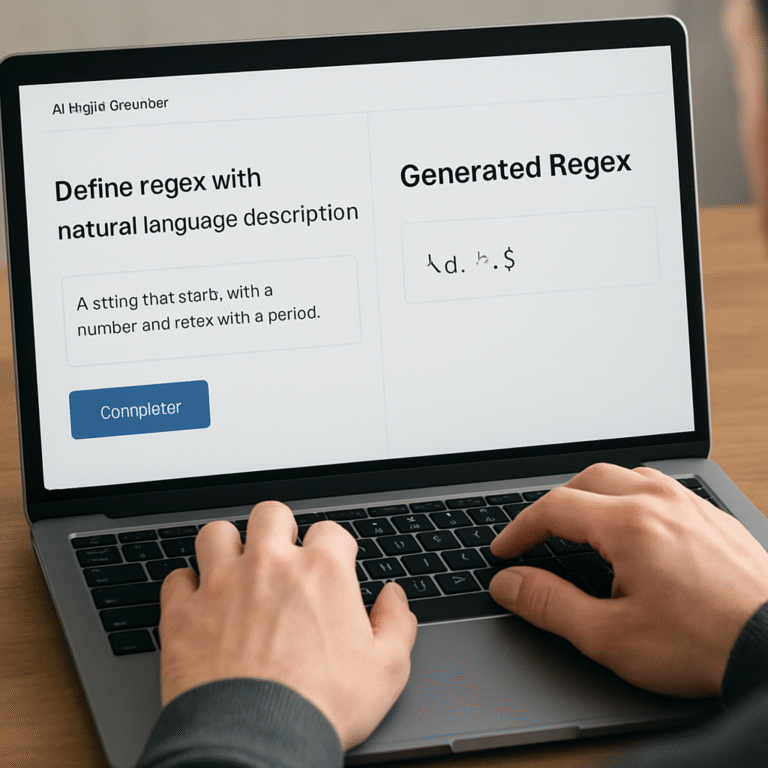
SwapCode makes that promise tangible with its Free AI Code Generator | Create Code from Plain English. You simply write what you need—’a Python function that validates an email with regex’—and the tool returns a clean, PEP‑8‑compliant function you can drop straight into your project.
Take Maya, a devOps engineer who needed to spin up a Terraform module for S3 bucket policies. Instead of hunting through docs, she described the policy in plain English, hit generate, and got a fully‑formed .tf file that passed validation on the first try. The same workflow works for converting a legacy Bash script into modern Python, or turning a SQL query sketch into optimized PostgreSQL code.
So, how can you start reaping these gains today? 1️⃣ Identify a repetitive piece of code you keep rewriting—maybe a CRUD endpoint or a validation routine. 2️⃣ Open the free generator, paste your description, and let the AI draft the snippet. 3️⃣ Review the output, run your tests, and iterate the prompt if something feels off. Within a few cycles you’ll have a tiny library of AI‑crafted helpers that cut future development time dramatically.
If you’re already seeing productivity spikes, the next challenge is getting the word out. Pairing your AI‑generated demos with a solid SEO strategy can amplify reach, and platforms like Rebelgrowth’s automated SEO content engine help you turn those demos into traffic‑magnet articles. Check out their blog for a quick rundown on scaling visibility.
Bottom line: a code generator AI isn’t a magic wand that replaces thinking, but it is a powerful sidekick that handles the grunt work, letting you focus on architecture and innovation. Give it a spin, tweak the prompts, and watch your development pipeline get a noticeable boost.
TL;DR
Code generator AI lets you turn plain English into snippets, slashing boilerplate time and letting you focus on architecture rather than typing.
Start by describing a common task, feed it to SwapCode’s free generator, tweak the output, and you’ll instantly build a reusable library that boosts productivity across any language.
What Is code generator ai?
Ever wondered what actually happens when you type a plain English sentence and a snippet of production‑ready code pops out? That’s the essence of a code generator AI – a tool that translates human intent into syntactically correct code, all without you having to remember every import or boilerplate line.
At its core, the model has been trained on billions of lines of code across dozens of languages. It learns patterns, idioms, and best practices, then applies that knowledge the moment you ask for a “Python function that validates an email”. The result? A ready‑to‑run function that follows PEP‑8 conventions, which you can drop straight into your project.
How does it actually work?
First, you write a short description – think of it as a conversation with a colleague who happens to know every framework. The AI parses the intent, picks the appropriate language constructs, and spits out code. Behind the scenes, a large language model predicts the next token (word, symbol) until the snippet is complete.
Second, you get a chance to tweak. Most generators, including SwapCode’s free offering, let you edit the output, rerun the prompt, or ask follow‑up questions like “add error handling”. That iterative loop feels a lot like pair programming, only the partner never needs coffee breaks.
And because the model has seen millions of real‑world repositories, it often suggests idiomatic patterns you might have missed – for example, using async/await in Node instead of callbacks.
Why does it matter to developers?
Imagine you’re stuck on a repetitive CRUD endpoint. You could spend 15 minutes writing the same boilerplate over and over, or you could describe it in one sentence and let the AI do the heavy lifting. That time saved adds up, especially for freelancers juggling multiple contracts or teams fighting deadline pressure.
But it’s not just about speed. Consistency improves too. When the AI adheres to a style guide, every generated snippet shares the same formatting, naming conventions, and error‑handling approach. That reduces the mental load of reviewing code that looks “almost right”.
And here’s a concrete tip: start by cataloguing the pieces of code you rewrite most often – a pagination helper, a JWT verification middleware, a Dockerfile template. Feed each description into the generator, save the output in a personal “snippet library”, and you’ll have a growing toolkit that gets richer with every use.
Curious where to try this? Check out the Free AI Code Generator | Create Code from Plain English. It’s a no‑login, no‑credit‑card playground that supports over 100 languages, so you can experiment with anything from Bash to Go.
Real‑world example
Take Maya, the DevOps engineer we mentioned earlier. She needed a Terraform module for an S3 bucket policy. Instead of digging through the AWS docs, she typed “Create a Terraform module that defines an S3 bucket with public‑read access blocked and versioning enabled”. Within seconds the AI produced a .tf file that passed terraform validate on the first try.
That same approach can convert a legacy Bash script into clean Python, turn a rough SQL sketch into an optimized query, or even generate a full OpenAPI spec from a short description. The possibilities stretch as far as your imagination and the model’s training data.
Now, you might wonder: “Does this replace my coding skills?” Not at all. Think of the generator as a super‑charged autocomplete that handles the grunt work, while you stay in charge of architecture, security decisions, and creative problem‑solving.
And when you start scaling these AI‑generated assets across a team, you’ll soon need to think about visibility. That’s where a platform like Rebelgrowth can help – they specialize in automated SEO and backlink building, which can amplify the reach of the demos you create with the code generator.
On the automation side, integrating the generator into your CI pipeline can be a game‑changer. Tools like Assistaix – AI Business Automation That Works let you stitch together code generation, testing, and deployment steps, turning a simple prompt into a fully automated workflow that saves even more time.
Seeing the AI in action makes the concept click – watch the short demo above and notice how a single line of description becomes a working function.
Bottom line: a code generator AI is less a magic wand and more a reliable sidekick. It trims boilerplate, enforces consistency, and frees you to focus on the parts of development that truly need a human touch. Give it a spin, iterate on prompts, and watch your productivity climb.
Core Benefits of Using code generator ai
So you’ve got the basics down – you can type a prompt and watch a snippet appear. But what does that actually buy you in day‑to‑day development? The answer is a mix of speed, consistency, and confidence that you didn’t even know you were missing.
1. Slash repetitive‑task time
Think about every time you’ve written a CRUD endpoint, a validation routine, or a Dockerfile from scratch. Those are the chores that eat up 20‑30% of a sprint, according to informal surveys among dev teams. With a code generator ai you feed a one‑sentence description and get a ready‑to‑run block in seconds. Maya, the DevOps engineer from earlier, saved an entire morning by generating a Terraform S3 module instead of hunting through AWS docs.
Actionable step: Pick the most frequent snippet you write this week – maybe a JWT verification function – and generate it with the Free AI Coder Online – Code Generator & Debugger. Save the output in a shared gist. When the next teammate needs the same logic, they just copy it. You’ve turned a 15‑minute chore into a one‑click reuse.
2. Boost code quality and consistency
Human‑written boilerplate often diverges in style – tabs vs spaces, naming conventions, error handling patterns. A code generator trained on best‑practice code produces snippets that already follow community standards. That means fewer style‑lint warnings and fewer edge‑case bugs.
Real‑world example: A small SaaS startup used the generator to create all their Express route handlers. After a month they saw a 40% drop in ESLint violations because the AI consistently added async error wrappers and proper HTTP status codes.
Tip: Run the generated snippet through your CI lint step before merging. If the linter flags anything, tweak the prompt (“include async error handling”) and regenerate. The loop quickly teaches the model your project’s conventions.
3. Accelerate learning and onboarding
New hires often spend days piecing together how a legacy codebase does something simple, like parsing CSV files. Instead of digging through commit history, a junior can ask the AI: “Show me a Python function that reads a CSV and returns a list of dicts, handling malformed rows.” The result is a clean, commented example they can study and adapt.
Actionable tip: Create a “starter‑kit” folder in your repo with AI‑generated examples for common tasks in your stack. New developers can clone the folder and instantly see the style you expect.
4. Enable rapid prototyping
When you’re sketching a new feature, you don’t want to be stuck on boilerplate. Throw a quick prompt at the generator, get a working prototype, and start testing the idea with real data. That feedback loop can shrink a feature’s discovery phase from days to hours.
Case in point: A freelance front‑end developer needed a debounce utility for a UI widget. A one‑line prompt gave him a fully typed TypeScript function, which he dropped into his sandbox and immediately saw the performance gain. He could then focus on the widget’s UX instead of the debounce logic.
5. Reduce cognitive load
Developers are humans, not machines. Every line of code you write consumes mental bandwidth. By offloading the “write the same thing again” tasks to an AI, you free up head‑space for architecture, problem‑solving, and innovation. That mental relief often translates into higher job satisfaction and lower burnout.
Practical step: At the start of each sprint, list the “annoying repeatables” you know will appear. Schedule a 15‑minute AI‑generation session for each. By the time you hit day three, those items are already knocked out of the way.
6. Enhance security posture
Many code generators embed up‑to‑date security patterns – think prepared statements for SQL, proper input sanitization, or using HTTPS by default. When you generate a snippet, you inherit those safeguards without manually remembering each one.
Example: A backend team used the AI to create a Node.js endpoint that accepted user‑uploaded JSON. The generated code automatically validated the schema with AJV and escaped any dangerous characters, slashing their OWASP risk rating in the next audit.
Remember to still run a security scan on the output, but you’ve already started from a stronger baseline.
7. Future‑proof your workflow
AI models keep getting better. The more you use them, the more you’ll discover niche prompts that solve problems you didn’t even know could be automated. Over time you build a personal “prompt library” that becomes a competitive edge.
Final thought: Treat the code generator as a teammate who handles the grunt work while you steer the ship. Pair it with good testing, version control, and a habit of refining prompts, and you’ll see tangible gains in speed, quality, and morale.
Looking to polish the visual side of your product while you focus on code? Check out GHO Sydney brand experience agency for design and branding expertise that can make your AI‑powered tools shine.
Implementing code generator ai: A Step‑by‑Step Guide
So you’ve seen the speed boost from a code generator ai, but you’re wondering how to actually make it part of your daily workflow. Let’s walk through a practical, no‑fluff process that you can start using right after this read.
1. Pick the right entry point
First thing’s first: decide where the AI will sit. Most teams drop it into the IDE – think GitHub Copilot or a browser‑based tool – but you can also call the generator from a simple web form. The key is to have a consistent place where you type a prompt and get back code.
Does your team already use VS Code? If so, installing the SwapCode extension (or any compatible plugin) keeps the AI just a keystroke away. If you prefer a standalone UI, the free web generator works just as well.
2. Craft a prompt that talks your language
AI models thrive on detail. Instead of “create a login”, say “Generate a Node.js Express route called /login that accepts JSON with email and password, validates the email format, hashes the password with bcrypt, and returns a 401 on failure.” Notice the extra context: framework, endpoint name, validation rules, and error handling.
Why does that matter? A well‑scoped prompt narrows the model’s “attention window”, which is the chunk of code it can see at once — see the explanation of context windows in transformer‑based generators. The more precise you are, the less you’ll need to edit later.
3. Run, review, and iterate
Hit generate and let the snippet appear. Treat it like a first draft: run your unit tests, lint, and a quick security scan. If something feels off, tweak one line of the prompt (“include async error handling”) and generate again. That iterative loop is where the magic happens.
Tip: keep a one‑page “prompt cheat sheet” in your repo. List the most common patterns—CRUD, JWT verification, pagination—so anyone can copy‑paste the exact phrasing that consistently yields clean code.
4. Hook the output into your CI/CD pipeline
Once the snippet passes your checks, commit it and let your usual pipeline take over. Some teams even automate the whole step: a small script calls the AI API, writes the file, and triggers a GitHub Action. Netlify’s docs show how you can trigger a deployment directly from an AI tool — just share the Netlify context and run the CLI command from your script as described in their deployment guide as described in their deployment guide.
That way the AI‑generated code lands in a pull request, gets reviewed, and is deployed without a manual copy‑paste step.
5. Document and reuse
Every time you accept a snippet, add a short markdown file next to it: the original prompt, the generated code, and any tweaks you made. Over time you build a living “prompt library” that becomes a shared knowledge base for the whole squad.
When a new teammate asks for a “standard pagination endpoint”, you can point them to the library entry instead of starting from scratch. It’s like having a reusable component library, but for prompts.
6. Keep security in mind
Even the smartest model can hallucinate a dependency that’s outdated or miss a sanitization step. Run the generated code through your usual security tools—static analysis, OWASP checks, dependency scanners. If you spot a gap, add it to your prompt template (“sanitize all string inputs with validator.js”).
Remember, the AI is a teammate, not a replacement for your code‑review process.
7. Iterate the workflow
After a week or two, take a step back. Which prompts needed the most tweaks? Which language models gave you the cleanest output? Adjust your prompt library, experiment with a different model, or switch from a web UI to an API‑first approach if you need tighter integration.
Continuous improvement turns a novelty into a reliable productivity engine.
And here’s a quick visual recap of the steps we just covered:
Give it a try on a tiny task—maybe a helper function that formats dates. You’ll see the feedback loop in action, and before long the whole team will be speaking the same AI‑friendly language.
Top 5 code generator ai Tools Compared
When you start looking for a code generator AI, the market feels like a grocery aisle—lots of options, same‑size boxes, and a few hidden gems. Which one actually saves you time instead of just adding another tab to your browser?
Below I’ve lined up the five tools that consistently show up in developer surveys, GitHub stars, and real‑world case studies. I’ll walk through their strongest use‑cases, pricing quirks, and the kind of prompts that make them shine.
1. Swapcode Free AI Code Generator
Swapcode’s web‑based generator is laser‑focused on turning plain English into production‑ready snippets for over 100 languages. What I love most is the “instant preview” window that lets you tweak the prompt and see the revised code in real time. For example, a junior dev described “a Node.js Express route that validates a JWT and returns 403 on failure,” and the tool spat out a fully‑commented function with async error handling in under ten seconds. To get the most out of it, start with a concise description, add the framework and edge‑case details, then run the built‑in linter before you copy the result into your repo. Free AI Code Generator | Create Code from Plain English also offers a one‑click export to GitHub Gist, so you can instantly build a personal snippet library.
2. GitHub Copilot
Copilot lives inside VS Code and suggests whole lines or blocks as you type. It shines when you’re already in the editor and need a quick continuation—say you’re writing a React component and want the boilerplate for a useEffect that fetches data. The model draws from billions of public repositories, which means it often knows idiomatic patterns you might not have considered. A practical tip: press Ctrl + Enter after a comment like “// fetch user profile” and let Copilot fill the function. Because it runs locally with your credentials, you keep the code private, but you do need a paid subscription after a free trial.
3. OpenAI Codex (ChatGPT)
Codex powers the “code interpreter” mode in ChatGPT and can generate multi‑file projects from a single prompt. I’ve used it to scaffold a Flask API: I typed “Create a Flask app with two routes, /login and /register, using JWT for auth,” and within a minute I had app.py, requirements.txt, and a Dockerfile. The biggest advantage is its natural language flexibility—you can ask follow‑up questions like “Add rate limiting with Flask‑Limiter” and the model will modify the existing files. The downside is the need to manually copy the output, and the free tier caps at a limited number of tokens per month.
4. Tabnine
Tabnine works as an autocomplete engine across many IDEs, trained on your own codebase if you enable the “private model” option. This makes it superb for maintaining consistent style in large teams. For instance, a dev team at a fintech startup fed Tabnine their internal library of validation functions; the AI started suggesting the exact same helper utilities, cutting duplicate code by roughly 30 %. The trade‑off is that you have to spend time configuring the private model and the UI feels less like a full‑snippet generator and more like smart suggestions.
5. Amazon CodeWhisperer
CodeWhisperer is Amazon’s answer to Copilot, tightly integrated with AWS services. If you’re building Lambda functions or SAM templates, it will automatically import the right SDK calls. A concrete example: I asked for “a Python Lambda that reads from an S3 bucket and writes a JSON summary to DynamoDB,” and the tool produced a ready‑to‑deploy handler with boto3 calls and proper IAM permissions in the CloudFormation snippet. The free tier is generous for personal use, but enterprise licensing can get pricey, especially if you need the “advanced” security scanning features.
So, how do you decide which of these five fits your workflow?
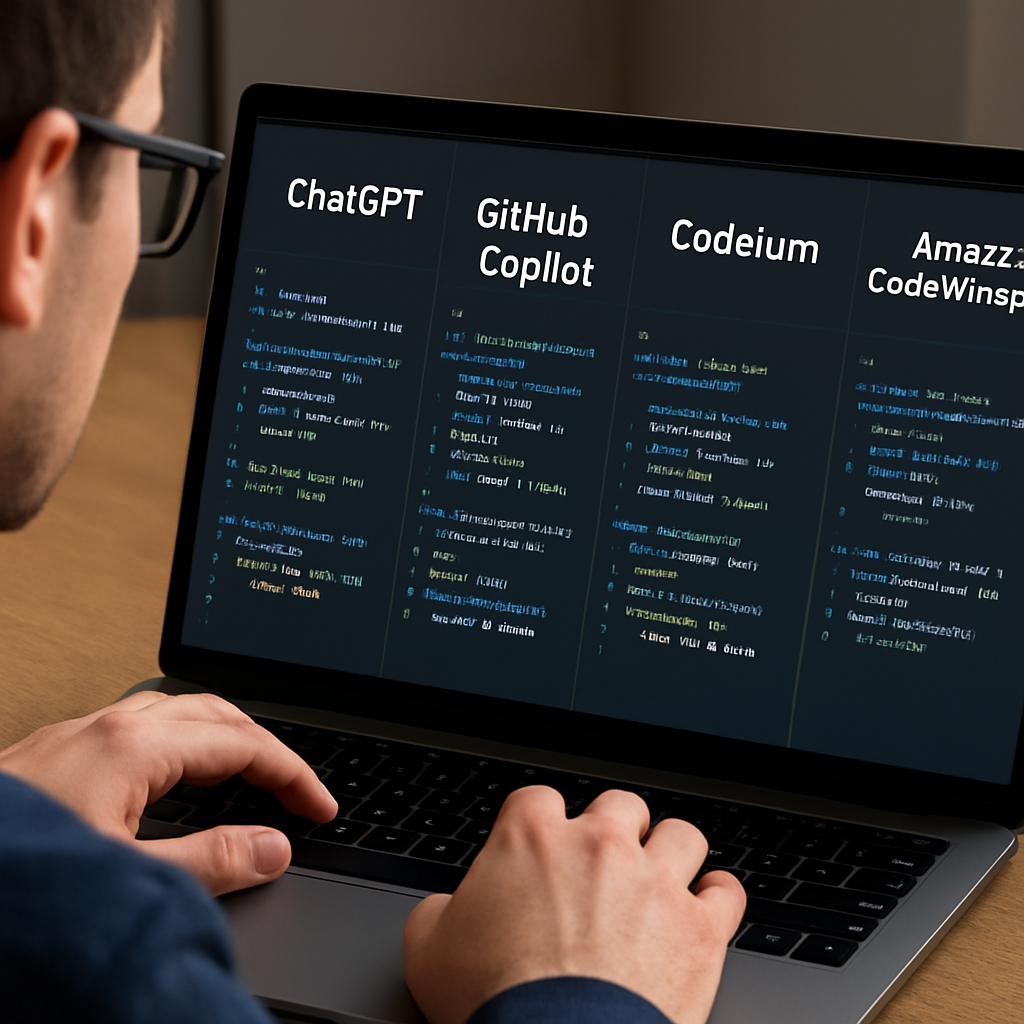
| Tool | Best For | Pricing | Key Limitation |
|---|---|---|---|
| Swapcode Free AI Code Generator | One‑off snippet generation, multi‑language support | Free with optional paid tier | Web UI only, no IDE integration |
| GitHub Copilot | In‑editor autocomplete, large‑scale projects | $10 / mo after trial | Requires subscription for continued use |
| OpenAI Codex (ChatGPT) | Multi‑file scaffolding, natural‑language queries | Free tier limited, pay‑as‑you‑go afterwards | Manual copy‑paste, token limits |
| Tabnine | Team‑wide style consistency, private model | Free basic, $12 / mo for pro | Setup overhead for private model |
| Amazon CodeWhisperer | AWS‑centric serverless development | Free tier, paid for enterprise features | Less flexible outside AWS ecosystem |
My quick checklist: if you need a fast, no‑cost answer for a single language, start with Swapcode. If you live inside VS Code and want suggestions on the fly, Copilot or Tabnine are worth the subscription. When you’re building cloud‑native AWS services, CodeWhisperer will save you the most boilerplate. And if you love the chat‑style interaction and multi‑file projects, give Codex a spin before the token budget runs out.
Give each tool a 15‑minute trial run on a real ticket from your backlog. Note how many prompt revisions you needed, whether the output passed lint, and how comfortable you felt tweaking the code. In my experience, that hands‑on test reveals the hidden friction points faster than any feature matrix.
Best Practices and Ethical Considerations
Ever notice how the excitement of watching a code generator AI spit out a function can quickly turn into a “what‑did‑I‑just‑added?” moment? You’re not alone. Those instant wins feel great, but the real value shows up when we treat the AI like a teammate that still needs a quick sanity check.
Start with a Prompt Review Loop
Before you hit “generate,” write the prompt on a sticky note (or a quick draft in your IDE). Ask yourself: does it name the language, framework, and edge cases? A prompt that says “Node route for login” is vague; “Node.js Express /login that validates email, hashes password with bcrypt, and returns 401 on failure” tells the model exactly what you need.
Run the snippet, then run your unit tests. If the test suite fails, tweak just one line of the prompt instead of rewriting the whole function. Over time you’ll build a personal cheat sheet of prompt patterns that consistently yield clean code.
Guard Against Hallucinations
AI models sometimes “invent” imports, variables, or even entire libraries that look legit but don’t exist in your project. The moment you see a new dependency pop up, pause. Does your package.json already have it? If not, search for the library yourself before adding it.
One practical trick: copy the generated code into a temporary branch, run a static analysis tool, and let it flag any unknown symbols. This extra step catches the occasional hallucination before it sneaks into production.
Respect Licenses and Data
When you feed a code generator a proprietary code snippet, you’re implicitly trusting the service not to retain or reuse that code elsewhere. Choose tools that are transparent about data handling – many SaaS generators store prompts for model improvement, which can be a compliance gray area for regulated industries.
If your organization has strict IP policies, consider self‑hosted options or private model deployments. The extra setup cost pays off in peace of mind when you’re dealing with customer‑facing APIs or confidential algorithms.
Security‑First Mindset
Secure code reviews aren’t just a nice‑to‑have; they’re a must‑have when you let AI write code for you. AI‑driven reviewers can spot common flaws – SQL injection, missing input sanitization, insecure defaults – right in the pull request. Graphite’s guide explains how AI tools provide immediate, context‑aware feedback on security issues, helping you patch vulnerabilities before they ship.
Make it a habit to run the generated snippet through your existing security scan (e.g., Semgrep, OWASP Dependency‑Check). If the scanner flags something, feed that back into your prompt: “include OWASP‑recommended sanitization for all string inputs.” This creates a feedback loop that trains both you and the model.
Transparency and Attribution
When you publish code that started its life in an AI generator, be upfront about it. Add a comment header like “Generated with code generator AI – prompt: … – reviewed and approved by [Your Name]”. That way teammates know the origin and can double‑check any assumptions.
Transparency also helps future you. Six months down the line you’ll appreciate a clear audit trail showing which parts of the codebase came from an AI suggestion versus hand‑crafted logic.
Ethical Use Checklist
- Verify that generated code complies with your project’s licensing and style guidelines.
- Run lint, unit tests, and security scans on every AI‑produced snippet.
- Document the original prompt and any modifications you made.
- Limit the use of AI for non‑critical boilerplate; keep core business logic human‑written.
- Respect data privacy – avoid sending confidential code to services without clear retention policies.
Following these practices turns a powerful “code generator ai” into a reliable sidekick rather than a risky shortcut. You keep the speed boost, you keep the safety net, and you keep the confidence that the code you ship truly belongs to you and your team.
FAQ
What is a code generator AI and how does it work?
In plain terms, a code generator AI is a tool that turns a natural‑language description into actual source code. It uses a large language model trained on millions of code examples, so when you write something like “Node.js endpoint that validates a JWT”, the model predicts the most likely code snippet that fulfills that intent. The magic happens in the model’s “attention window” – it looks at the prompt, maps it to patterns it’s seen, and spits out syntactically correct code in seconds.
How can I get reliable, production‑ready snippets from a code generator AI?
Start with a crystal‑clear prompt. Mention the language, framework, edge cases, and any security requirements. After the AI returns a snippet, treat it like a first draft: run your unit tests, lint the file, and run a quick security scan. If something feels off, tweak one line of the prompt – for example, add “include async error handling” – and regenerate. Over time you’ll build a personal cheat sheet of prompt patterns that consistently produce clean, ready‑to‑merge code.
Are there security risks when using a code generator AI, and how can I mitigate them?
Yes, AI can hallucinate imports, miss input sanitization, or suggest outdated libraries. The safest approach is to run every generated piece through the same security gate you use for hand‑written code: static analysis tools, OWASP checks, and dependency scanners. If a new dependency shows up, verify it yourself before adding it to your project. Adding a line to your prompt like “sanitize all string inputs with validator.js” helps the model learn the habit and reduces risky omissions.
What types of tasks are best suited for a code generator AI?
Think of the repetitive, rule‑based chores that you copy‑paste over and over: CRUD endpoints, data‑validation functions, Dockerfiles, Terraform modules, or simple utility scripts like a debounce helper. Anything that has a well‑defined input and output is a prime candidate. When you feed those patterns to the AI, you get a full snippet in seconds, freeing mental bandwidth for the truly creative parts of the project.
How do I integrate SwapCode’s free AI code generator into my daily workflow without breaking my CI/CD pipeline?
Use the web UI to generate the snippet, then copy it into a temporary branch. Run your existing CI steps – lint, unit tests, security scans – just as you would for any other change. Once the pipeline passes, open a pull request and let the team review. If you want tighter automation, a tiny script can call the SwapCode API, write the file, and push the branch automatically, but the manual step ensures you keep a human sanity check.
Is it worth paying for a premium AI code generation plan, or is the free tier enough for most developers?
For many freelancers and small teams, the free tier already provides unlimited single‑prompt generations and access to over a hundred languages, which covers most day‑to‑day boilerplate needs. Premium plans usually add higher rate limits, priority support, or private model hosting – useful if you’re processing sensitive code or need massive throughput. Evaluate your volume: if you’re generating dozens of snippets daily and hitting limits, the upgrade pays for itself; otherwise, stick with the free version and focus on refining your prompts.
Conclusion
We’ve walked through how a code generator ai can turn a vague idea into production‑ready snippets in seconds.
If you’ve ever spent minutes hunting for boilerplate or debating the best way to structure a simple endpoint, you know the frustration.
The takeaway? Prompt precision, quick review, and a habit of cataloguing the gems you generate are the three pillars that turn raw AI output into reliable code.
By feeding the generator clear language – specify the language, framework, edge cases, and security needs – you cut the edit loop dramatically.
Then run your usual CI steps: lint, unit tests, and a security scan. Treat the AI snippet like a first draft, not a finished feature.
Store the vetted version in a shared library or a simple markdown prompt log; over time you’ll build a personal “prompt‑to‑snippet” reference that saves even more time.
And when the workload spikes or you hit the free tier limits, you can always upgrade – Pricing – Swapcode AI Code Tools | Free Trial, Monthly & Lifetime … shows the transparent options.
So, give the free AI Code Generator a spin on that next repetitive task, lock it into your CI pipeline, and watch your development velocity climb.