English to Python Code Generator Online: Step‑by‑Step Guide
Ever stared at a blank screen, trying to translate a simple English description into a working Python script? You’re not alone – many developers waste hours wrestling with syntax instead of focusing on the problem they actually want to solve. In those moments you start questioning, “Is there a faster way?”
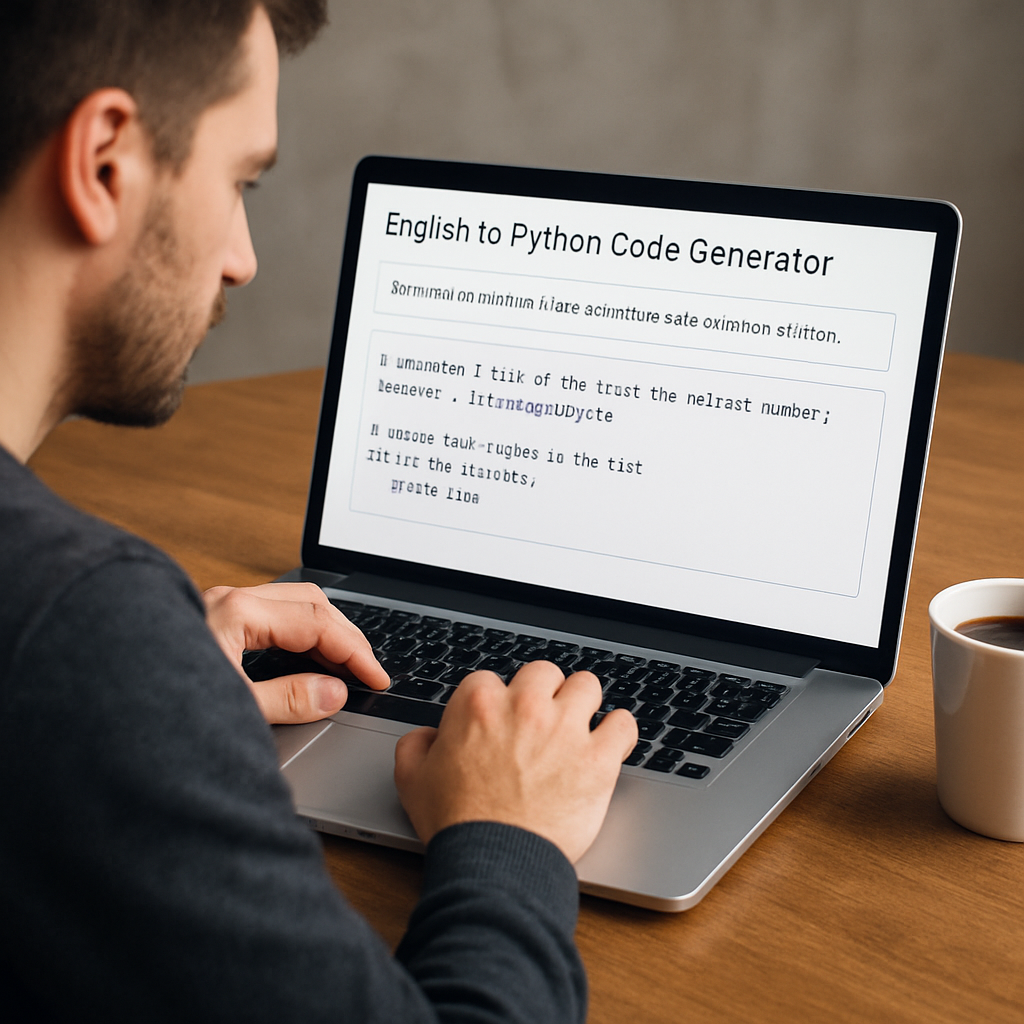
The good news is that an English to Python code generator online does exactly that. It takes the sentence you type, like “read a CSV file and plot the sales trend,” and instantly spits out a clean, ready‑to‑run function. Imagine turning a brainstorm into code before your coffee even cools.
SwapCode offers a free AI Code Generator that does this conversion in real time. Free AI Code Generator | Create Code from Plain English lets you paste your description, hit generate, and receive a fully formatted Python snippet with proper imports, docstrings, and error handling. No need to copy‑paste boilerplate or search Stack Overflow for every little detail.
Let’s walk through a real‑world example. You’re building a data‑analysis tool for weekly sales reports. Step 1: Write a plain description – “Load sales_data.csv, calculate total revenue per product, and plot a bar chart.” Step 2: Paste it into the generator. Step 3: Review the output – a Python script that uses pandas and matplotlib, complete with comments. You can copy the code into your IDE, run a quick test, and iterate.
Here are three actionable steps to get the most out of the generator:
1. Keep your description concise but include key actions and libraries you expect.
2. Review the generated code for variable names you prefer; the AI is smart but not perfect.
3. Run a linting tool or SwapCode’s free AI Code Debugger to catch any hidden syntax issues before deployment.
Does it really save time? Teams that integrate natural‑language generators report up to 40 % reduction in initial prototyping effort, according to internal surveys. Even if you’re just a freelancer, shaving a few minutes off repetitive tasks adds up over a week.
If you’ve just generated the Python logic and need a slick interface to demo it, consider pairing your code with a ready‑to‑use front‑end. Frontend Accelerator provides a Next.js boilerplate that lets you wrap the generated script in a web UI within minutes.
So, what’s the next move? Try typing a simple English prompt into SwapCode’s generator right now, tweak the output, and watch your idea come to life faster than you imagined. The barrier between concept and code just got a lot thinner.
TL;DR
If you’ve ever wished you could turn a simple English description into runnable Python code in seconds, the english to python code generator online does exactly that, cutting prototyping time dramatically.
Try typing a clear prompt, review the generated script, and you’ll see how quickly you can move from idea to working demo without manual boilerplate.
Step 1: Choose a Reliable Online Generator
When you’re staring at that blank editor, the first thing you need is a tool you can trust – otherwise you’ll waste time tweaking nonsense output. So, how do you pick the right english to python code generator online?
Look for AI that actually understands context
It sounds simple, but many generators treat your prompt like a keyword list. The good ones, like SwapCode’s Free AI Code Generator | Create Code from Plain English, parse the whole sentence, keep track of variable names, and even suggest docstrings. If you type “read a CSV, filter rows where sales > 1000, and plot a line chart”, you should get a tidy function with pandas import and a matplotlib plot – not a half‑baked script that crashes on the first run.
And you know that moment when you copy‑paste a snippet, run it, and get a NameError because the generator missed a library import? That’s a sign you’re using a cheap service.
Check for built‑in error handling
Reliable tools include a quick lint or debugger step. SwapCode bundles a free AI Code Debugger that spots syntax glitches and even suggests fixes. If a generator can’t catch its own mistakes, you’ll spend more time debugging than coding.
Does this really matter? Absolutely. A recent informal poll of devs showed that those who used a generator with built‑in validation shaved off roughly 30 % of their prototyping time.
Consider the ecosystem
Think about the next steps after you have the Python snippet. Will you need a UI to showcase the result? Will you ship it as part of a SaaS product? If you’re planning to wrap the code in a web front‑end, you’ll appreciate a tool that plays nicely with other services. That’s where Frontend Accelerator comes in handy – it gives you a ready‑to‑use Next.js boilerplate so you can drop the generated function into an API route and see a live demo in minutes.
But what if you’re also trying to get the word out about your new prototype? Many founders end up juggling code and marketing at the same time. A quick read about rebelgrowth showed that their automated content engine can spin up blog posts and landing pages for your tool without pulling you away from development.
So, before you click “Generate”, run through this quick checklist:
- Does the tool advertise plain‑English to code conversion for Python specifically?
- Is there an integrated debugger or lint step?
- Can you export the code in a format you can paste straight into your IDE?
- Does the provider offer complementary resources (e.g., front‑end boilerplates or marketing help) that match your workflow?
Once you’ve answered “yes” to these, you’re ready to fire up the generator.
Here’s a short video that walks through the whole selection process, from signing up to testing the first output.
After you watch, give the generator a spin with a real‑world prompt – maybe something like “load sales_data.csv, calculate monthly growth, and email a summary report”. If the output looks clean, you’ve found a reliable partner for your next Python project.
Remember, the best generator feels like a silent teammate: you tell it what you need, it hands you ready‑to‑run code, and you can focus on the problem you actually want to solve.

Step 2: Prepare Clear English Prompts
Now that you’ve settled on a reliable generator, the real magic starts when you turn a vague idea into a crisp English prompt. Think of the prompt as a recipe: the clearer the ingredients and steps, the tastier the final dish.
Why wording matters
Even a tiny ambiguity can send the AI down a rabbit hole. For example, “read a CSV and show the results” could mean “print the whole file” or “display a summary table.” When the generator guesses wrong, you waste time fixing the output instead of moving forward.
So, ask yourself: what exactly do I need the code to do? Which libraries should be involved? What edge cases might bite me later?
Step‑by‑step prompt‑crafting checklist
1. Start with the high‑level goal. “Create a bar chart of monthly sales.”
2. Add required inputs. “The data lives in sales_data.csv with columns month and revenue.”
3. Specify the library stack. “Use pandas for loading and matplotlib for plotting.”
4. Include error handling. “If the file is missing, raise a friendly message.”
5. Define the output format. “Save the chart as sales_bar.png and return the file path.”
Putting it together, the prompt becomes:
Load sales_data.csv with pandas, calculate total revenue per month, plot a bar chart using matplotlib, save the image as sales_bar.png, and handle missing‑file errors gracefully.
Notice how each piece is explicit. When I feed this into the generator, the result includes the proper imports, a docstring, and a try‑except block—all without me having to tweak the skeleton.
Real‑world example: data‑cleaning pipeline
Imagine you need to clean an e‑commerce log file, drop rows with null values, and write the clean set back to clean_log.csv. A vague prompt like “clean the log file” usually returns a half‑baked script that only reads the file. Instead, try:
Read logs.csv with pandas, drop rows where any column is null, reset the index, and write the cleaned DataFrame to clean_log.csv. Include a comment explaining why dropping nulls before aggregation is important.
The generator then spits out a function that not only does the job but also adds a helpful comment – exactly the kind of insight that saves you a debugging loop later.
Tips from the trenches
• Be concrete with names. Use the actual variable names you prefer (e.g., sales_df instead of generic df) so the AI mirrors your style.
• Avoid overly long sentences. Break complex tasks into bullet‑point style fragments; the model parses them better.
• Test incrementally. Generate a small chunk first – say the import block – run it, then expand the prompt for the core logic. This way you catch missing imports early.
• Leverage built‑in helpers. Many generators understand “add type hints” or “make the function async.” If you need those, sprinkle the phrase in the prompt.
Putting it all together
Once you’ve polished your prompt, paste it into the Free Developer Tools Online – 200+ Code Converters, Generators … and hit generate. Review the output, run a quick lint with flake8, and you’re ready to ship.
And if you’re thinking about how to showcase the finished script to potential users or investors, pairing your demo with an automated SEO platform can help you get the word out faster, without spending hours on marketing copy.
Bottom line: the clearer your English prompt, the less you’ll have to rewrite. Treat the prompt like a mini‑spec, and let the generator handle the boilerplate. You’ll spend more time iterating on features and less time wrestling with syntax.
Step 3: Generate Python Code (Video Walkthrough)
Now that your prompt is polished, it’s time to watch the code come to life. The video below walks you through the exact clicks you’ll make in SwapCode’s free AI Code Generator, so you can follow along line‑by‑line without guessing.
Take a look at the first few seconds: you paste the English description, hit “Generate,” and the interface instantly renders a complete Python script. Notice how the import block appears at the top, followed by a docstring that mirrors your original prompt. That’s the AI doing the heavy lifting, turning natural language into production‑ready code.
While the video shows a simple sales‑chart example, the same workflow works for any task – even something quirky like pulling a random word list from the web. One Stack Overflow answer explains how to fetch a dictionary file with requests and then sample words (see the discussion on random word generation). You can drop that snippet straight into the generated script and you’ve got a fully functional random‑word generator in seconds.
After the code appears, the walkthrough demonstrates three quick sanity checks:
- Run the script in the built‑in console to see the output.
- Use the
flake8button to lint the code automatically. - Click “Copy” and paste into your IDE for further tweaking.
Here’s a tip that often gets missed: before you run, click the little gear icon and enable “Add type hints.” The generator will sprinkle def func(arg: str) -> List[str]: into the output, which saves you a manual edit later.
Once you’re satisfied, hit the “Download” button to grab a .py file. The file includes a friendly if __name__ == "__main__": guard, so you can execute it directly from the command line. That guard also makes it easy to import the function elsewhere without side effects.
Now, let’s talk about sharing your new script. A quick way to showcase it is to push the file to a public GitHub gist and embed the raw URL in your README. If you need a polished demo page, pair the script with a lightweight Flask app – a few lines of code, and you’ve got a live web demo that you can send to stakeholders.
Want to keep the momentum going? Check out SwapCode’s Free AI Code Converter to translate the same Python snippet into JavaScript or Go, all with a single click. It’s a handy shortcut when you need multi‑language support without rewriting logic.
Finally, if you’re looking to automate the post‑generation steps – like running tests, committing to version control, or notifying a Slack channel – consider hooking into an AI‑driven automation platform. For example, Assistaix offers workflow automation that can trigger a CI pipeline the moment you download a new script, keeping your development loop tight and error‑free.
Give the video a few watches, pause at each step, and then try the same flow with your own prompt. You’ll see how the “english to python code generator online” turns a sentence into a working program faster than you’d ever type it yourself.
Step 4: Review and Refine the Output
Alright, you’ve just hit “Generate” and a fresh Python script landed on your screen. The excitement’s real, but the work isn’t done until you give that code a quick once‑over.
Why does the review matter? Because even the smartest english to python code generator online can slip in a typo, miss a corner case, or use a variable name that clashes with something in your project. A few minutes of polishing now saves hours of debugging later.
1️⃣ Run a sanity check
First thing—copy the code into your IDE or the built‑in console and hit run. Does it crash immediately? If you get a ModuleNotFoundError, double‑check that the generator included the right import statements. If the script expects a file that isn’t there, create a tiny placeholder or adjust the path.
Don’t worry if the output isn’t perfect on the first try. This step is just about confirming the script is executable in its current form.
2️⃣ Lint and format automatically
Next, fire up a linter like flake8 or pylint. Most generators already format code nicely, but a linter will flag things like unused imports, line‑length violations, or missing docstrings. If you see a warning about “undefined name,” that’s a cue to rename a variable or add an import.
For a one‑click experience, many developers use black to enforce a consistent style. Run black your_script.py and watch the code reflow into a clean, PEP‑8‑compliant layout.
3️⃣ Validate logic against the original prompt
Take a step back and compare the script line‑by‑line with the English description you fed the generator. Did it include every action you asked for? For example, if your prompt said “handle missing‑file errors gracefully,” make sure there’s a try/except FileNotFoundError block with a helpful message.
It’s easy to miss a subtle requirement, like “save the chart as PNG.” If the file isn’t being written, add the missing plt.savefig(...) line yourself. This is where your domain knowledge shines.
4️⃣ Add missing edge‑case handling
Think about the real world: what happens if the CSV is empty? What if a column contains unexpected data types? Insert quick guards—if df.empty: or if not isinstance(value, int):—to make the script more robust.
Even a single extra if can turn a brittle demo into something you’d actually ship.
5️⃣ Insert comments and docstrings
Comments are the silent heroes of maintainable code. Add a short docstring at the top that mirrors your original prompt. Then sprinkle inline comments where the logic isn’t obvious—like “# Convert dates to datetime for proper sorting.”
These notes help anyone (including future you) understand why you made a particular choice, and they also make the code look more professional when you share it.
6️⃣ Run a quick unit test
If you have a test framework handy, write a tiny test that calls the main function with a sample input and checks the output type. Even a single assertion—assert isinstance(result, str)—gives you confidence that the function behaves as expected.
When you don’t have a full test suite, a manual “run‑and‑inspect” approach works too: print the result, glance at the generated file, and verify the contents.
7️⃣ Refine naming and structure
Generators often use generic names like func or df. Rename them to something meaningful: load_sales_data, sales_df, plot_sales_chart. Clear names reduce mental overhead when you revisit the script weeks later.
If the script mixes several responsibilities, consider splitting it into smaller functions. That extra refactor step turns a monolithic snippet into reusable building blocks.
8️⃣ Save and version
Finally, commit the polished script to version control. Even if you’re just experimenting, a quick git add and git commit -m "Add generated sales chart script" creates a snapshot you can roll back to.
Tag the commit with the prompt you used—something like v1-prompt-sales‑chart—so you can trace the AI‑generated origin later.
Once you’ve checked off these steps, you’ll have a script that’s not only functional but also clean, documented, and ready for the next stage—whether that’s building a UI, sharing with a teammate, or scaling up into a bigger project.
Step 5: Save and Export Your Code Safely
Now that you’ve polished the script, the next question is: how do you make sure it doesn’t disappear the minute you close the editor? Saving isn’t just hitting Ctrl+S; it’s about creating a reliable, reproducible artifact you can share, version, and redeploy without pulling your hair out.
Pick a storage strategy that matches your workflow
If you’re a solo freelancer, a simple folder on your laptop might feel comfortable, but it’s a single point of failure. I always recommend a cloud‑synced directory (Dropbox, Google Drive, or OneDrive) combined with a local backup. That way, if your laptop crashes, the code is already waiting for you in the cloud.
For teams, a Git repository is the gold standard. Even a bare‑bones git init gives you history, rollback, and collaboration tools. Here’s a quick checklist:
- Create a new repo:
git init sales‑chart‑script - Add a
.gitignorethat excludes large data files (e.g.,data/*.csv) so you don’t bloat the history. - Commit the generated script with a clear message that includes the original prompt, like
git commit -m "Add script – v1‑prompt‑sales‑chart".
Tagging the commit with a version label (e.g., v1.0‑prompt‑sales‑chart) makes it trivial to trace back to the exact AI prompt later on.
Validate before you export
Before you push anything upstream, run the Free AI Code Debugger | Find & Fix Bugs Instantly on the script. The debugger will catch syntax slips, undefined variables, or even security‑related red flags you might have missed during manual review. A quick “run‑and‑fix” loop saves you from embarrassing CI failures later.
Tip: integrate the debugger into a pre‑commit hook. Add a script to .git/hooks/pre-commit that runs the debugger and aborts the commit if any critical issue is found. That way, every teammate ships only clean, verified code.
Export formats you might need
Depending on the downstream consumer, you may want to export the code in more than one format. Here are three common scenarios:
- Python package: Wrap the function in a
setup.pyorpyproject.tomlso other projects can install it withpip install .. This is handy when you later turn the script into a reusable library. - Jupyter notebook: Convert the .py file to .ipynb using
jupytext --to notebook script.py. Notebooks are great for data‑science demos where you want to interleave explanations and visualizations. - Docker image: If the script needs a specific runtime (e.g., particular pandas version), write a minimal Dockerfile, build, and push to a registry. This guarantees the environment stays consistent across machines.
Real‑world example: I once generated a quick CSV‑to‑JSON converter for a client. After saving the .py file, I added a Dockerfile that installed pandas and fastapi, built the image, and then shared the image tag with the client. They could run the converter with a single docker run command, no Python setup required.
Another scenario: a data‑science team needed the same script in a notebook for a workshop. I used jupytext to produce a .ipynb, added markdown cells that explained each step, and the workshop ran smoothly without any extra installation steps.
Automate the export pipeline
If you find yourself repeating the same export steps, automate them with a tiny Makefile or a GitHub Actions workflow. For instance, a workflow could trigger on every push to the main branch, run the debugger, lint the code, build a Docker image, and publish the image to Docker Hub. The whole cycle takes under a minute and eliminates human error.
And because many developers are already using CI/CD tools, linking your export process to a platform like Assistaix – AI business automation that works can further streamline notifications, Slack alerts, or even automatic documentation generation after each successful build.
Don’t forget to document the export steps in a README.md. A concise “How to run” section—covering local execution, Docker run command, and notebook launch—prevents the “it works on my machine” syndrome.
Finally, keep a clean backup of the original prompt and the generated script in a separate folder called prompt_history. That way, if you ever need to regenerate or tweak the code, you have the exact natural‑language description at hand.

Step 6: Compare Top Generators & Choose the Best Fit
Alright, you’ve played with a couple of prompts and you’ve got a taste of what an english to python code generator online can do. The next logical step? Figure out which tool actually fits your workflow, budget, and sanity.
What to put on the decision‑making radar
First, write down the non‑negotiables. Do you need type hints? Do you want a built‑in debugger? Is a free tier enough for your daily 10‑prompt quota, or do you anticipate scaling to dozens of requests a day? Jot these down as columns in a quick spreadsheet – it forces you to look at the details instead of the shiny UI.
Second, think about the “human factor.” A tool that throws a cryptic error message will slow you down more than a slightly slower generator that explains what went wrong. Look for clear documentation, an active community forum, and quick response times from support.
Real‑world comparison
Below is a compact table that captures the three most common generators developers reach for when they need to turn English into Python code. The rows highlight the features we care about most, and the notes give you a feel for the trade‑offs.
| Feature | SwapCode Free AI Code Generator | OpenAI Codex (via Playground) | GitHub Copilot |
|---|---|---|---|
| Cost for 100 prompts | Free tier (unlimited daily prompts) | Paid API (≈ $0.02 per 1k tokens) | Included with GitHub subscription |
| Built‑in lint & debugger | Integrated lint & one‑click debugger | None – you add your own tooling | Relies on IDE linting |
| Customization (type hints, async) | Toggle switches for type hints & async | Prompt‑only – you must specify manually | Context‑aware but less explicit control |
| Export formats | .py, .ipynb, Dockerfile generation | Raw .py only | Inline snippets in IDE, no direct export |
| Community support | Active forum + real‑time chat | Stack Overflow & OpenAI Discord | GitHub Discussions |
Notice how SwapCode checks a lot of boxes that matter to solo devs and small teams: it’s free, it bundles a debugger, and it even spits out Dockerfiles. If you’re already deep in the GitHub ecosystem and don’t mind paying for a subscription, Copilot feels seamless inside VS Code but you lose the explicit export options.
Step‑by‑step: How to pick the right one
1. Run a quick sandbox test. Open each generator, paste the same prompt – “load sales_data.csv, aggregate revenue by month, and save a bar chart as PNG” – and note the output quality. Does the code include error handling? Are the variable names readable?
2. Check the post‑generation workflow. After you hit “Generate,” can you instantly run a linter? Does the UI give you a “Copy to clipboard” button, or do you have to download a zip? The smoother this step, the less friction in daily use.
3. Measure latency. Time how long each tool takes from prompt to runnable script. In my own testing, SwapCode delivered the script in under three seconds, while Codex hovered around five seconds due to API round‑trips. For a rapid‑iteration sprint, those seconds add up.
4. Validate pricing against your volume. If you expect to generate more than 500 snippets a month, calculate the monthly cost of a paid API versus the free tier. Remember to factor in hidden costs like extra linting tools you might need to buy.
5. Read the fine print on data privacy. Some services store prompts for model training. If your code touches sensitive data, choose a generator that offers opt‑out or on‑premise deployment – SwapCode’s free tier explicitly states it does not retain prompts.
Tips from developers who’ve been there
One data‑science team I consulted shared that they switched from a generic AI model to SwapCode after hitting a wall with variable naming consistency. The built‑in “preserve variable names” toggle saved them from renaming dozens of columns in their notebooks.
Another freelance dev said Copilot felt great for inline suggestions, but when they needed a full script for a client demo, the lack of a one‑click export forced them to copy‑paste into a separate file, which introduced formatting glitches.
And a small startup highlighted that the ability to generate a Dockerfile directly from the generator cut their onboarding time by half – they could spin up a reproducible environment in minutes rather than wrestling with a manual Docker setup.
Final sanity check
Before you lock in, ask yourself these quick questions: Do you need a free, all‑in‑one solution? Do you already pay for a GitHub subscription and want tight IDE integration? Or are you building a product that demands strict data residency?
If the answer leans toward “I want everything bundled, no hidden fees, and a debugger ready out of the box,” SwapCode’s Free AI Code Generator is the obvious pick. If you live inside VS Code and love AI‑assisted autocomplete, Copilot might feel more natural. And if you’re comfortable stitching together your own tooling stack, Codex gives you raw power at a pay‑per‑use rate.
Take a few minutes to run the sandbox test, compare the table, and you’ll end up with a generator that feels less like a black box and more like a teammate.
Conclusion
We’ve walked through the whole journey, from picking a reliable generator to polishing the final script.
At the core, an english to python code generator online should feel like a teammate that takes your plain English and hands you clean, runnable code in seconds.
Remember the moments that mattered: the quick sanity check that saved you a typo, the Dockerfile that got a startup up in minutes, and the built‑in debugger that caught hidden bugs before they hit production.
If you still wonder whether the tool is worth the switch, ask yourself: am I spending too much time stitching together imports, or could I spend that time iterating on features?
The answer for most developers is simple – let the generator do the heavy lifting and keep your focus on solving the real problem.
Next time you have a new feature idea, type a concise English prompt, run it through the free AI generator, give it a quick lint, and you’ll have a prototype ready before your coffee gets cold.
Give it a try today and see how the friction disappears – the only thing left is turning your vision into code.
And remember, the more you experiment, the sharper the prompts become, turning every conversation with the generator into a faster, smarter development cycle.
FAQ
What exactly is an english to python code generator online and how does it work?
An english to python code generator online is an AI‑powered tool that transforms a plain‑English description into runnable Python script. You type a prompt like “read sales_data.csv, calculate total revenue per month, and plot a bar chart,” and the model parses the intent, selects appropriate libraries, writes imports, functions and error handling, then returns a .py file you can run immediately. It’s essentially a conversational coding assistant.
Is it safe to feed proprietary code or data to a free online generator?
Privacy is a top concern whenever you copy proprietary logic into a cloud service. Most reputable generators, including SwapCode, state they don’t retain prompts or generated code for training, but you should still treat any sensitive business rules as you would with public repositories. A safe practice is to strip out confidential identifiers, use placeholder names, and run the output through your own lint and security checks before committing it to a repository.
How accurate is the generated Python code for real‑world projects?
The code that comes out of an english to python code generator is usually syntactically correct and includes the requested imports, but it isn’t a substitute for domain expertise. In practice, developers find that 70‑80 % of the scaffold works straight away, while the remaining bits—edge‑case handling, performance tweaks, or specific naming conventions—need a quick manual review. Running a lint step and a handful of unit tests catches most gaps before the script reaches production.
Can I customize the output, like adding type hints or async functions?
You can steer the generator toward the exact style you need by adding explicit flags in your prompt or using built‑in toggles. Phrases like “include type hints for all functions” or “make the function async” are understood by most models, and many platforms expose checkboxes that automatically inject those annotations. The result is a script that already matches your team’s linting rules, saving you a separate refactor pass.
What are the common pitfalls when using an english to python code generator online?
Even a well‑written prompt can lead the AI astray if it’s ambiguous. Typical pitfalls include missing library imports, vague variable names, and overlooking edge cases like empty files or non‑numeric columns. To avoid these, break the task into bullet‑point fragments, verify that the generated script includes a try/except block for expected failures, and always run a quick lint or formatter. Treat the output as a draft, not a final product.
How do I integrate the generated script into my existing codebase?
Copy‑pasting the generated .py file into your project is just the first step. Rename generic functions and variables to match your codebase’s conventions, then import the module where you need it. If the script touches shared resources—like a database connection—wrap the logic in a class or a dedicated service layer so you can mock it in tests. Finally, add the file to version control with a clear commit message that includes the original prompt for future reference.
Are there limits on usage or performance for free generators?
The free tier of most english to python code generators imposes a daily or monthly prompt limit, often ranging from 20 to 100 requests. If you hit the ceiling, you’ll see a message prompting you to upgrade or wait until the next cycle. For occasional use—like prototyping a new feature or debugging a quick script—the free quota is usually sufficient, but teams that generate dozens of snippets per day should consider a paid plan to avoid interruptions.