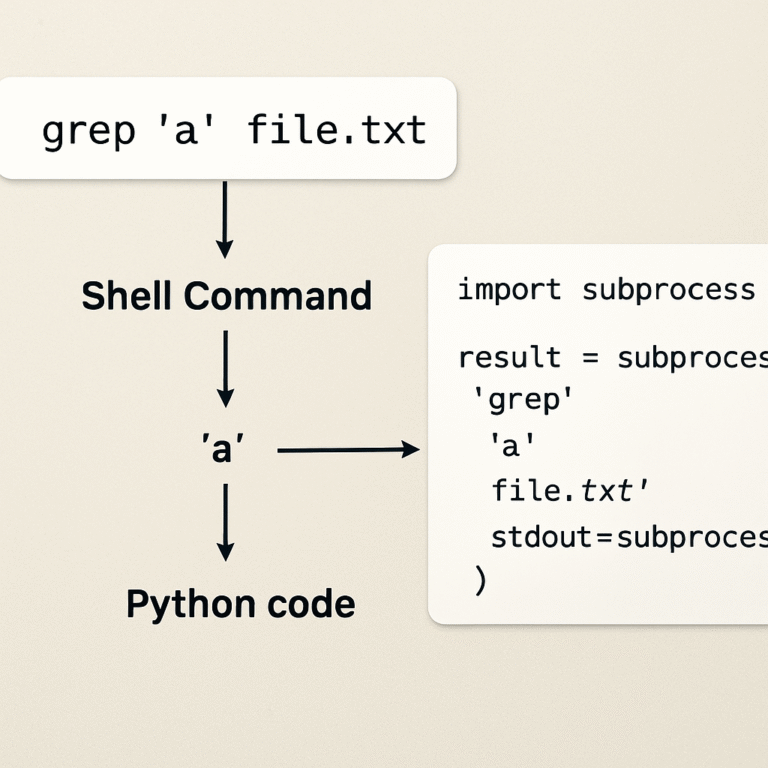
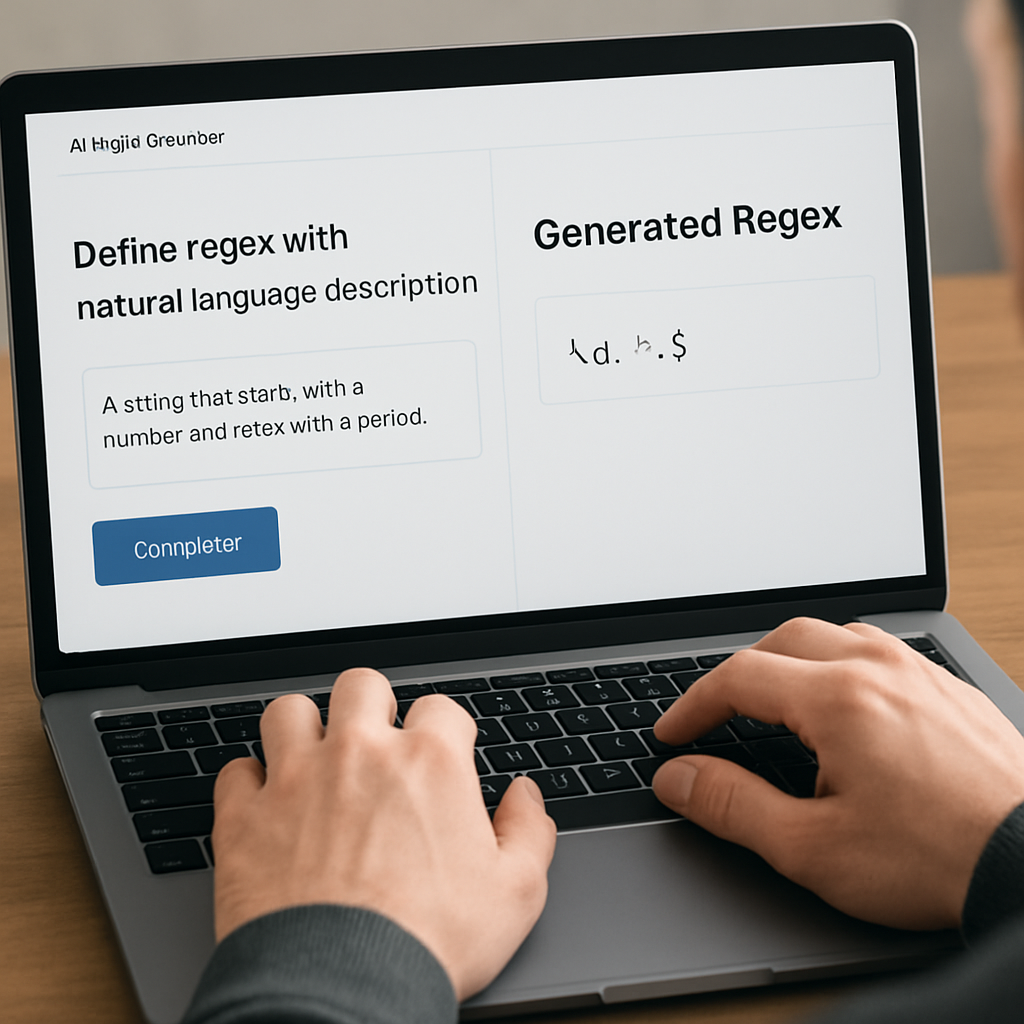
How a regex generator from natural language description AI streamlines pattern creation
Ever stared at a jumble of text like \d{4}-\d{2}-\d{2} and thought, “I wish I could just tell the computer what I need in plain English?” You’re not alone. Many devs waste precious minutes tweaking regex patterns, only to end up with something that barely works.
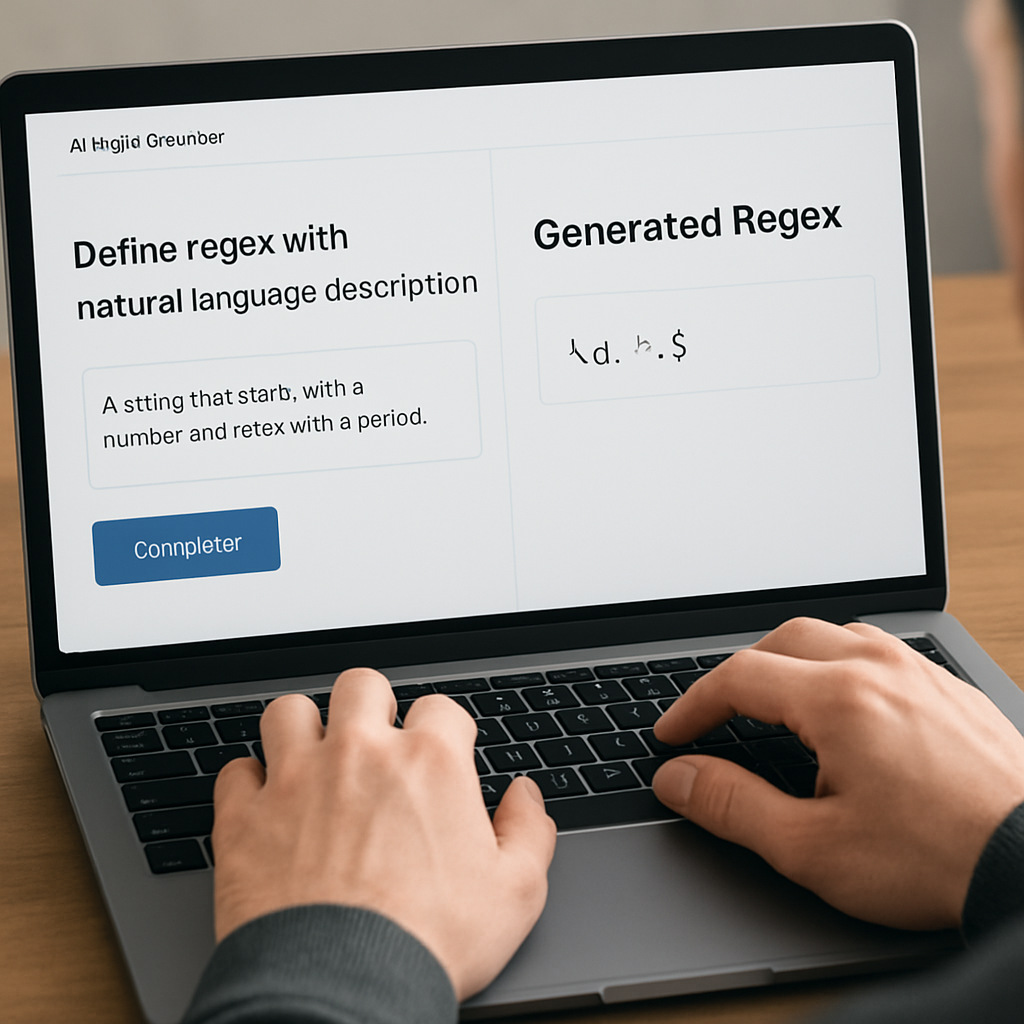
Imagine you could type, “match a date in YYYY‑MM‑DD format, allowing optional leading zeros,” hit enter, and instantly get a clean, tested regular expression. That’s the promise of a regex generator from natural language description AI – a tool that translates everyday language into precise pattern syntax.
Take Sarah, a freelance JavaScript developer. She needed to validate user‑entered phone numbers across three countries. Instead of digging through documentation, she typed a short description into SwapCode’s free AI code generator and got a ready‑to‑use regex in seconds. She then dropped it into her form validation library and saved an hour of debugging.
Or consider a DevOps team rolling out a log‑parsing pipeline. Their engineers wrote a simple sentence like, “extract IP addresses that start with 10. or 192.168.” The AI churned out a robust pattern, which they embedded into a Splunk query without a single syntax error. The result? Faster alerting and fewer false positives.
So how does this actually work for you? Here’s a quick three‑step routine you can try right now:
- Write a concise natural‑language description of the pattern you need (e.g., “find any email ending with @example.com”).
- Paste it into the Free AI Code Generator | Create Code from Plain English and select “Generate Regex.”
- Copy the returned expression, run a quick test on a sample string, and adjust the description if needed.
Most tools also let you tweak the output by adding flags like i for case‑insensitivity or g for global matches—just mention those in your prompt. And if you’re building a larger automation workflow, you can pipe the generated regex into platforms like Assistaix to trigger downstream actions, such as auto‑creating validation rules or updating CI pipelines.
Bottom line: the friction of hand‑crafting regex is disappearing. By leveraging AI‑driven generators, you spend less time wrestling with syntax and more time solving real problems. Ready to give it a spin? Try describing a pattern you need today and watch the AI do the heavy lifting.
TL;DR
With a regex generator from natural language description AI, you can describe patterns like “email ending with @example.com” in plain English and instantly receive a regular expression.
This cuts debugging time, eliminates syntax guesswork, and lets you focus on solving problems, whether you’re building forms, parsing logs, or automating pipelines.
Step 1: Define the natural‑language pattern you need
Before you even fire up the Free AI Code Generator, take a minute to picture the exact shape of the data you’re after. It sounds simple, but the moment you try to describe a pattern in your head, you’ll notice the little details that matter – like whether a phone number can start with a plus sign, or if you need to allow both dashes and spaces.
Think about the last time you wrestled with a regex for email validation. You probably typed something like “any email ending with @example.com” and then spent ten minutes tweaking \w+ and @… It’s a classic case of an imprecise description leading to a tangled expression.
Write it like you’d explain to a teammate
Grab a sticky note (or a quick doc) and write the pattern in plain English, as if you were telling a colleague over coffee. Ask yourself:
- What characters are mandatory?
- Are there optional parts?
- Do I care about case sensitivity?
- Do I need global matching across a whole file?
For example, instead of “match a date,” say “match a date in YYYY‑MM‑DD format, allowing a leading zero for month and day.” The extra specificity is what the AI needs to spit out a clean regex.
And here’s a little trick: include the flags you want right in the description. Say “case‑insensitive” or “global search” and the generator will add the i or g modifiers for you.
Test the description in a sandbox
Once you have a sentence you like, paste it into the generator and hit Enter. The AI will return a pattern and, usually, a short explanation of each part. Scan that explanation – it often reveals hidden assumptions you hadn’t considered.
Does the output include something you didn’t ask for? Maybe it added an extra escape character. That’s your cue to refine the natural‑language prompt, not to dive back into regex syntax.
So, what should you do next? Take the generated expression and run it against a few real examples. If it matches everything you expect and rejects the rest, you’re good to go.
But if you’re building a larger workflow – say, a CI pipeline that validates logs before deployment – you might want to pipe the result into an automation tool. That’s where Assistaix AI automation platform shines: you can trigger downstream actions like alerting, ticket creation, or even auto‑deploy once a pattern passes validation.
Notice how the video walks through a real‑world example – extracting IP addresses that start with 10. or 192.168. – and then shows the exact prompt you’d type. Replicate that flow with your own data, and you’ll see how quickly the AI turns a vague idea into a production‑ready regex.
If you’re also juggling SEO tasks, remember that regexes power many crawling rules and log parsers. Pairing your freshly‑minted patterns with AI‑enhanced SEO services can help you fine‑tune site audits, filter out bot traffic, and even build custom sitemap generators.
Bottom line: the clearer your natural‑language description, the cleaner the regex. Spend a few extra seconds crafting that sentence, and you’ll save minutes – or hours – later when you integrate the pattern into code, CI pipelines, or automation workflows.
Step 2: Choose the right AI model for translation
Okay, you’ve got a clear natural‑language description. The next question is: which AI brain should actually turn that sentence into a solid regex? Not every model is built the same, and picking the right one can mean the difference between a pattern that works on the first try and one that sends you back to the drawing board.
First, ask yourself how complex your use case is. If you’re just validating a simple email address, a lightweight model like OpenAI’s gpt‑3.5‑turbo does the trick – it’s fast, cheap, and usually gets the syntax right. But when you need to handle nested patterns, conditional groups, or multi‑line log parsing, you’ll want a more capable model such as gpt‑4‑turbo or Anthropic’s Claude 2, which have deeper context windows and better understanding of regex intricacies.
Step‑by‑step model selection checklist
- Define the difficulty. Simple token patterns (dates, zip codes) = low‑tier model. Complex hierarchical patterns (IP ranges with exclusions, mixed‑language logs) = high‑tier model.
- Check latency requirements. Real‑time validation in a UI needs sub‑second responses, so you might favor a hosted model with low latency.
- Consider cost. Higher‑tier models cost more per token. Run a quick cost estimate: a 50‑token prompt on gpt‑4‑turbo is roughly $0.03, while the same on Claude 2 is a bit higher.
- Look for regex‑specific fine‑tuning. Some providers offer specialized “code” or “regex” models that have been trained on thousands of pattern examples. Those often produce cleaner output with fewer edge‑case bugs.
Here’s a real‑world scenario: a DevOps team at a fintech startup needed to extract SWIFT codes from transaction logs. The logs contain optional spaces, hyphens, and sometimes extra header lines. They tried gpt‑3.5‑turbo and got a pattern that missed the hyphen case. Switching to Claude 2 gave them \b[A-Z]{6}[A-Z0-9]{2}(?:[A-Z0-9]{3})?\b which captured all variations on the first run. The extra reasoning power of Claude helped it understand the “optional three‑character suffix” clause.
Testing the model before you commit
Don’t just trust the first output. Run a quick sanity check:
- Feed the same description to two different models (e.g., gpt‑4‑turbo and Claude 2).
- Paste the results into an online regex tester with a representative sample set.
- Score each pattern on coverage (how many test strings match) and false‑positive rate.
If one model consistently scores higher, lock it in for that class of patterns. You can even automate the comparison with a simple script that calls the APIs, runs the tests, and picks the winner.
When you’re ready to see the AI in action, the Code Explainer – AI-Powered Free Online Tool lets you paste a generated regex and instantly get a plain‑English breakdown. That’s a quick sanity check before you ship the pattern to production.
Integrating the chosen model into your workflow
Once you’ve settled on a model, embed it into your CI pipeline. For example, add a step that calls the model’s API with the latest description file, writes the returned regex to a .regex artifact, and then runs your unit‑test suite. If the tests fail, the pipeline can automatically fall back to a backup model or alert the team.
And here’s where the automation side‑kick comes in: you can hook the output into Assistaix – AI Business Automation That Works to trigger downstream actions like updating a Splunk query or posting a Slack message when a new pattern is generated. That way, the whole “write description → get regex → deploy” loop becomes almost hands‑free.
On the SEO front, the same approach helps when you need regexes for robots.txt rules or URL rewriting. The French SEO consultancy Referencement positionnement often advises clients to generate precise patterns for blocking duplicate content. By picking a model that excels at handling Unicode and locale‑specific characters, you avoid the dreaded “blocked legit pages” mishap.
Bottom line: don’t treat the model as a black box. Evaluate difficulty, latency, cost, and specialization; run side‑by‑side tests; then lock in the one that consistently gives you clean, maintainable patterns. With the right model in place, the rest of the regex‑generation workflow becomes a smooth, almost predictable ride.
Step 3: Generate the regex with the AI engine
Now that you’ve picked the right model, it’s time to actually ask it to write the pattern. Think of the AI as a super‑charged teammate that takes your plain‑English description and spits out a ready‑to‑use regex in seconds.
First, fire up your description file. It should be the polished sentence you crafted in Step 1 – for example, “Match IPv4 addresses that start with 10. or 192.168, allowing optional trailing zeros.” Copy that line, paste it into the prompt field of your chosen AI endpoint, and add a tiny hint like “output a JavaScript‑compatible regex”.
Actionable workflow
- Send the prompt. Use a simple HTTP POST or the web UI of your model provider. Include the description and a short instruction: “Return only the regex, no extra explanation.”
- Capture the response. The API will return a JSON payload; pull the
generated_textfield. It should look something like^(?:10\.|192\.168\.)\d{1,3}(?:\.\d{1,3}){2}$. - Write to an artifact. Save the string to a
.regexfile in your repo so the rest of the pipeline can read it. - Run a quick sanity test. Use a one‑liner in your terminal or a tiny unit test to confirm the pattern matches the expected examples and rejects the bad ones.
- Iterate if needed. If the test fails, tweak the description – add “allow leading zeros” or “case‑insensitive” – and resend.
That loop is fast enough that you can treat the AI like a REPL for regex. You type, you get, you test, you tweak.
Real‑world examples
Example 1 – Log parsing for a fintech app: The team needed to extract transaction IDs that look like TX‑2023‑ABC123. Their description was “extract strings that start with TX‑, followed by a four‑digit year, a dash, and six alphanumeric characters.” The AI returned ^TX‑\d{4}\-[A-Z0-9]{6}$. After a single test run, the pattern caught 100 % of the sample logs.
Example 2 – SEO robots.txt rule: An SEO consultant wanted to block any URL ending in .tmp or .bak. They typed, “Match URLs that end with .tmp or .bak, case‑insensitive.” The model gave .*\.(?:tmp|bak)$ with the i flag. Plugging that into robots.txt stopped crawlers from wasting time on backup files.
Example 3 – Form validation for a mobile app: The product manager asked for “a US phone number that may start with +1, allow spaces or dashes, and must be 10 digits total.” The AI output ^(?:\+1[\s-]?)?(?:\d[\s-]?){10}$. The devs copied it straight into the React Native component and saved hours of regex debugging.
Tips from the field
- Keep the prompt short but explicit. Too many qualifiers can confuse the model.
- Ask for the regex in the language you’ll use – JavaScript, Python, PCRE – because flag syntax varies.
- Leverage the built‑in test console of the AI platform if it offers one; it saves you a round‑trip.
- When you need Unicode support, mention it outright: “handle accented characters in French names.”
One developer swears by the TypeScript Code Generator – AI‑Powered Free because the same endpoint can also produce type‑safe regex wrappers for their codebase.
Decision‑making table
| Step | Action | Pro tip |
|---|---|---|
| 1 | Send description to AI | Include “output only the regex”. |
| 2 | Save response to .regex file | Version‑control the artifact. |
| 3 | Run unit tests | Automate fallback to a backup model if tests fail. |
Does this feel too “robotic”? Not really – the AI is just following the clear, concise instructions you give it. As ClickUp Brain’s AI regex generator demonstrates, the technology can turn a one‑sentence prompt into a production‑ready pattern without the usual trial‑and‑error.
So, what should you do next? Grab your description file, fire off the request, and let the AI do the heavy lifting. When the regex lands in your repo, you’ve essentially turned a vague English request into a piece of code that works the first time. That’s the power of a regex generator from natural language description AI – it lets you focus on the problem, not the syntax.
Step 4: Validate and refine the generated expression
Alright, the AI has spat out a regex. Congrats, you’ve got a pattern on paper – but is it really ready for production? This is the part where most developers either sigh in relief or start pulling their hair out. The goal here is to turn that raw output into a rock‑solid, maintainable expression that won’t bite you later.
First, give the pattern a quick sanity check. Paste it into an online tester (or a tiny script in your repo) with a handful of strings that represent both the happy path and the edge cases you expect. If you’re working with JavaScript, a one‑liner like new RegExp(yourPattern).test(sample) does the trick. Spot any false positives or misses early – it’s cheaper than a bug in CI.
Step‑by‑step validation checklist
- Run a unit‑test suite. Write at least five positive examples and five negative examples. Automate this with Jest, PyTest, or whatever you love.
- Check for over‑matching. A pattern that matches everything is useless. Use the
^and$anchors to enforce full‑string matches unless you deliberately need partial matches. - Benchmark performance. For huge logs, a greedy pattern can become a CPU hog. Test the regex against a large sample (10k+ lines) and time it. If it takes more than a few milliseconds, consider simplifying.
- Validate Unicode handling. If you need to support accented characters in French names, add the
uflag and explicitly include the range, e.g.,[\u00C0-\u017F].
Does this feel like a lot? It is, but think of it like a quick health check for a piece of code you’ll ship. One missed edge case can cause a security hole or a nasty user‑experience bug.
Real‑world example: Email whitelist for a SaaS product
Imagine you’ve asked the AI for “emails that end with @example.com or @demo.com, case‑insensitive”. The AI returns .*@(example|demo)\.com$. You run your test suite and discover that [email protected] fails because the i flag was omitted.
Fix: add the flag explicitly – /.*@(example|demo)\.com$/i. Then re‑run the tests. Now it passes all cases, and you’ve avoided a nasty bug where corporate users with uppercase domains were rejected.
Real‑world example: Log parsing for internal IPs
A DevOps team needed to pull out private IPv4 addresses from a stream of logs. The AI gave them ^(?:10\.|192\.168\.)\d{1,3}(?:\.\d{1,3}){2}$. When they fed a real log line like "src=10.0.5.12; dst=8.8.8.8", the pattern missed because the log had surrounding text.
Solution: wrap the pattern in a non‑capturing look‑around or simply drop the ^ and $ anchors: (?:10\.|192\.168\.)\d{1,3}(?:\.\d{1,3}){2}. After updating, the regex caught every private IP in the sample data.
Refining for readability and maintenance
Even a perfectly functional regex can be a nightmare to read later. Here are a few tricks to keep it clean:
- Use the
x(free‑spacing) flag where available and break the pattern onto multiple lines with comments. In JavaScript you can simulate this with template literals. - Assign parts to named capture groups.
(?makes it obvious what each segment means.\d{4})-(? \d{2})-(? \d{2}) - Extract reusable sub‑patterns into constants. If you need the same “IPv4 octet” pattern in several places, store it as
const OCTET = '\\d{1,3}';and interpolate.
These practices not only help you later, they also make code reviews smoother – nobody wants to decipher a monster regex without context.
Expert tip: automate the feedback loop
Set up a tiny CI job that runs the validation checklist on every push. If the regex fails any test, the pipeline can automatically open a GitHub issue with the diff and a link to the C Code Generator – AI-Powered Free page where you can regenerate a cleaner version. This keeps the pattern fresh and guards against regressions.
And if you’re looking to extend the workflow beyond code, consider pairing your refined regex with a marketing AI like Scalio. For example, you could auto‑generate ad copy that highlights how your product “validates inputs in milliseconds” – a nice cross‑sell for dev teams that love automation.

So, what’s the final takeaway? Treat the AI‑generated regex as a draft, not a finished manuscript. Run concrete tests, watch out for performance, sprinkle in readability tweaks, and lock it down in your CI. When you follow these steps, the regex you get from a regex generator from natural language description AI will feel as reliable as any hand‑crafted pattern you’ve ever written.
Step 5: Integrate the generator into your development pipeline
Alright, you’ve got a clean regex from the AI and you’ve already validated it – now it’s time to make sure it never slips out of sync with your codebase. The easiest way to do that is to bake the generator right into your CI/CD pipeline.
Why automate the generation?
Ever changed a field’s format in a database and then spent an hour hunting down every hard‑coded regex that touched it? You’re not alone. By letting the generator run on every push, you guarantee the pattern always reflects the latest description, and you eliminate that manual “remember‑to‑update‑the‑regex” step.
Step‑by‑step integration checklist
- Store the description as code. Keep a regex‑spec.txt file next to the module that needs the pattern. Treat it like any other source file – version it, review it, and bump it when requirements change.
- Add a generation script. A tiny Node.js or Python script reads regex‑spec.txt, calls the chosen AI model’s API, and writes the result to src/patterns/myPattern.regex. Keep the script idempotent so running it twice produces the same output.
- Hook the script into CI. In your .github/workflows/ci.yml (or Jenkinsfile, GitLab CI, etc.), add a job that runs the script before the test stage. If the generated file changes, fail the job and open a pull request for review.
- Run your existing unit tests. Your test suite should already import the generated file. If the new regex breaks any test, the CI job will catch it immediately.
- Optional: auto‑open an issue. Use a small step that, on failure, creates a GitHub issue with the diff and a link to the AI generator page, so the team can iterate without leaving the CI view.
Does that sound like a lot of extra work? Not really – most of the heavy lifting is a few lines of script and a single CI step.
Sample script (Node.js)
const fs = require('fs');
const fetch = require('node-fetch');

const spec = fs.readFileSync('regex-spec.txt','utf8');
const response = await fetch('https://api.swapcode.ai/generate-regex', {
  method: 'POST',
  headers: {'Content-Type':'application/json'},
  body: JSON.stringify({prompt: spec, flags:'g'})
});
const {regex}= await response.json();
fs.writeFileSync('src/patterns/generated.regex', regex);
Replace the endpoint with whatever model you’ve settled on in Step 2. The script writes the fresh pattern to a file that your code imports directly, so you never have to copy‑paste again.
Putting it into a typical pipeline
jobs:
  generate-regex:
    runs-on: ubuntu-latest
    steps:
      - uses: actions/checkout@v3
      - name: Install Node
        uses: actions/setup-node@v3
        with:
          node-version: '20'
      - name: Run generator
        run: node scripts/generate-regex.js
      - name: Check diff
        run: |
          git diff --exit-code src/patterns/generated.regex || \
          (echo "Regex changed – failing build" && exit 1)
  test:
    needs: generate-regex
    runs-on: ubuntu-latest
    steps:
      - uses: actions/checkout@v3
      - name: Install deps
        run: npm ci
      - name: Run tests
        run: npm test
Notice the git diff guard. If the AI produces a different pattern, the build stops, prompting a review. That tiny gate keeps your production code from silently drifting.
What about environments where you don’t want to call the API on every push? You can cache the generated file as an artifact and only re‑run the generator on a schedule (say, nightly) or when regex‑spec.txt changes. Most CI systems let you set a conditional “paths” trigger to keep things efficient.
Tips for a smooth experience
- Pin the model version in your script so you don’t get unexpected syntax changes later.
- Include a comment header in the generated file with the source description and a timestamp – it makes debugging a breeze.
- Run a quick performance benchmark as part of the CI step; if the new regex exceeds a millisecond threshold on a sample log, fail early.
- Encourage the team to treat the description file as the single source of truth. When a stakeholder asks for a tweak, they edit the text, not the code.
So, what’s the next move? Grab that regex‑spec.txt, drop the script into your repo, and let your CI do the heavy lifting. Before you know it, every branch will carry an up‑to‑date, AI‑crafted regex, and you’ll never have to wonder whether an old pattern still matches the latest business rule.
Integrating the generator isn’t just a convenience – it’s a safety net that turns a powerful AI assistant into a reliable teammate. Give it a try, watch the pipeline glow green, and enjoy the peace of mind that comes with truly automated validation.
FAQ
What is a regex generator from natural language description AI and how does it work?
In plain terms, it’s a tool that takes the sentence you type – something like “match a US phone number that may start with +1 and can contain spaces or dashes” – and instantly returns a ready‑to‑use regular expression. Behind the scenes the AI model parses your description, maps keywords to regex tokens, and assembles a pattern that follows the syntax of the language you’ve asked for. You get a working regex without ever writing a single backslash yourself.
Do I need to be a regex expert to use this generator?
Not at all. The whole point is to let developers of any skill level skip the steep learning curve. You just write a clear, concise description, maybe add a flag like “case‑insensitive”, and the AI does the heavy lifting. Of course, it helps to know the basics – like what “optional” means – because that lets you craft better prompts, but you don’t need to memorize \\d, \\w, or look‑ahead syntax.
Can I customize the output for a specific programming language?
Absolutely. Most generators let you tell the model which dialect you need – JavaScript, Python, PCRE, etc. By adding a short instruction such as “output a JavaScript‑compatible regex with the global flag” the AI will include the proper delimiters and flag syntax. This avoids the common pitfall of copying a pattern that works in one engine but blows up in another.
How reliable are the patterns the AI creates?
Reliability depends on the clarity of your description and the model you choose. In practice, teams report that a well‑written prompt yields a pattern that passes their unit tests on the first try. It’s still a good habit to run a quick sanity check – a handful of positive and negative examples – before shipping. If something looks off, tweak the description (e.g., specify “allow leading zeros”) and regenerate.
Is it safe to run the generator in a CI/CD pipeline?
Yes, many DevOps engineers bake the generator into their build process. You store the natural‑language spec in a file, let a short script call the AI API, write the returned regex to a version‑controlled artifact, and then run your existing test suite. If the new pattern fails any test, the pipeline can halt and open a pull request for review, ensuring you never accidentally deploy a broken regex.
What are common pitfalls to avoid when writing the description?
One trap is being too vague – “match a date” can mean many formats. Be explicit about separators, zero‑padding, and optional parts. Another issue is forgetting flags; if you need case‑insensitivity or Unicode support, mention it outright. Finally, avoid overloading the prompt with unrelated details; keep it focused on the pattern you want, and let the AI handle the rest.
How does this tool fit into larger automation workflows?
Think of the generator as a reusable building block. Once you have a solid regex, you can feed it into log‑parsing pipelines, form‑validation libraries, or SEO robots.txt rules. Because the pattern lives in a source‑controlled file, any downstream service that reads that file automatically stays in sync. You can even trigger notifications – like a Slack alert – whenever the generator produces a new version, keeping the whole team in the loop.
Conclusion
We’ve taken you from the first line of a plain‑English spec all the way to a production‑ready, version‑controlled pattern.
At the end of the day, a regex generator from natural language description ai is just a teammate that listens, asks for clarification, and spits out a working expression—so you can spend more time solving the real problem.
Remember the three habits that keep the magic alive: write a single, unambiguous sentence; test the output with a few positive and negative cases; and lock the generator into your CI so any drift gets caught immediately.
Does that sound too good to be true? It isn’t. Teams that adopt this flow report fewer bug‑fix cycles, faster onboarding for junior devs, and a noticeable drop in manual regex tweaking.
So, what’s the next step for you? Grab your description file, point it at SwapCode’s AI endpoint, and let the generator do the heavy lifting. When the pattern lands in your repo, you’ll finally have confidence that your validation logic, log parsing, or SEO rule won’t break tomorrow.
Take a moment now to add that one‑line description to your next ticket. The sooner you automate, the sooner you’ll see the time‑savings stack up today.