How to Refactor Long Functions into Smaller Ones Automatically for Cleaner Code
Ever opened a file and stared at a single function that stretches on for pages? You know that moment when you wonder if the code grew like a wild vine and you’re the only gardener who can prune it. That feeling is the exact trigger for refactoring long functions into smaller ones automatically.
Doing it by hand feels like pulling teeth—you have to locate every side‑effect, rewrite loops, and keep track of variable scopes. Miss a single reference and you introduce a bug that can hide for weeks. That risk is why many teams postpone refactoring until the codebase becomes unmanageable.
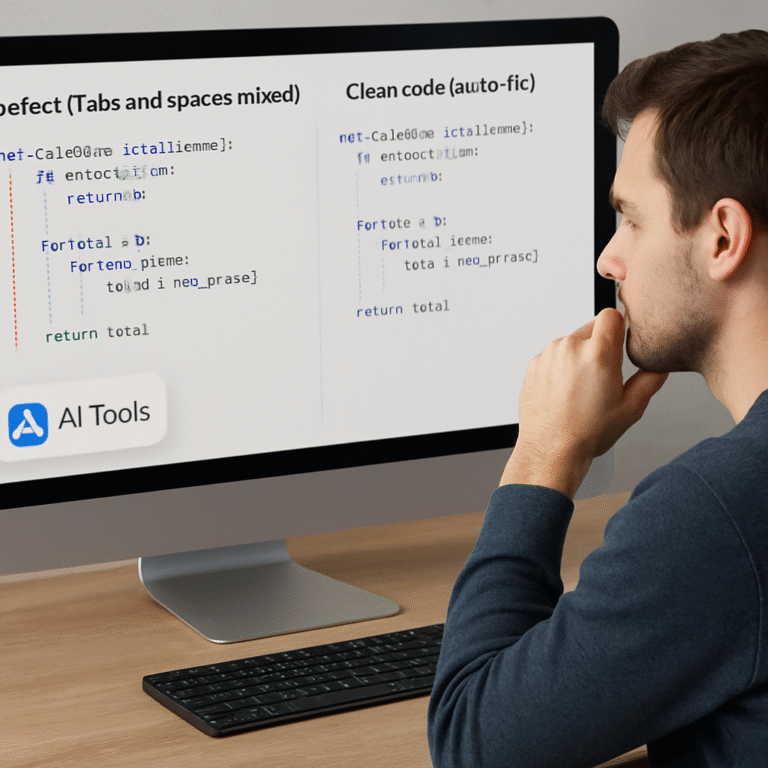
Enter AI‑powered refactoring tools that analyze the abstract syntax tree, detect logical blocks, and suggest clean, bite‑size functions. They do the heavy lifting in seconds, preserving behavior while giving you a tidy, testable structure you can actually read.
For example, a Node.js Express endpoint that handled authentication, logging, rate limiting, and response formatting ended up as a 250‑line monster. After feeding the file to the tool, it split the code into four focused helpers: validateCredentials, logAttempt, applyRateLimit, and formatResponse. The resulting main handler shrank to under 50 lines, and each helper could be unit‑tested in isolation.
In Python, a data‑processing script that parsed CSVs, applied transformations, and wrote results was a single 180‑line function. The AI refactor broke it into read_csv, transform_rows, and write_output. Not only did the runtime stay the same, but the new modules made it trivial to swap out the CSV reader for a JSON source later.
Here’s a quick three‑step workflow you can try today: 1️⃣ Paste your long function into the Free AI Code Review panel. Review the generated smaller functions—make sure variable names stay clear and dependencies are injected properly. Run your test suite; if anything breaks, the tool highlights the exact lines that changed.
Once your code is tidy, you might want to showcase the improvement to stakeholders. Publishing a short case study can boost visibility, and platforms like Rebelgrowth specialize in amplifying tech content through automated outreach.
TL;DR
If you’re drowning in sprawling code, AI can refactor long functions into smaller ones automatically, giving you clean, testable helpers in seconds. Try the free online tool, paste your monolithic function, review the generated pieces, and watch your codebase become readable, maintainable, and ready for rapid iteration right now today.
Step 1: Analyze the Function and Identify Refactoring Opportunities
Alright, you’ve just dropped a massive function into the AI tool and you’re staring at the result. Before you click “refactor”, you need to know what you’re actually dealing with. Think of it like a doctor doing a physical – you can’t prescribe medicine without a proper diagnosis.
First thing’s first: look at the function’s length. If it stretches beyond a few hundred lines, that’s a red flag. But size alone isn’t the whole story. You also want to spot distinct logical sections – maybe a validation block, a data‑processing loop, and a response builder. Those are natural split points.
Identify logical blocks
Read through the code and ask yourself, “What does this chunk of code try to achieve?” When you can answer that in a single sentence, you’ve found a candidate for its own helper. Write a quick comment like // validate input or // generate report. Those comments become the titles for the new functions.
And here’s a trick: copy‑paste each block into a separate file just to see if it compiles on its own. If it does, you’ve got a clean separation. If it blows up, you’ve uncovered hidden dependencies that need to be untangled.
Spot side‑effects and shared state
Side‑effects are the sneaky culprits that make refactoring painful. Look for globals, mutable arguments, or anything that writes to a database inside the big function. Those need to be isolated or injected as parameters.
Ask yourself, “If I removed this line, would the rest of the code still work?” If the answer is no, that line probably belongs in a dedicated utility or service layer. Flag it now so you don’t lose behavior later.
Once you’ve mapped out blocks and side‑effects, you can sketch a small dependency graph on a napkin or a whiteboard. Visualizing the flow helps you decide the order in which to extract helpers.
Measure function complexity
Tools like Free AI Code Review – Automated Code Review Online | Swapcode.ai will give you cyclomatic complexity numbers, but you can also eyeball it. Multiple nested loops, deep if‑else trees, and long switch statements are signs that the function is doing too much.
If you see more than three levels of nesting, consider pulling that logic into its own function. Simpler functions are easier to test and, frankly, less scary to read.
So, what’s the takeaway? Write down a checklist: length, logical blocks, side‑effects, and complexity. If the function fails any item, you’ve found a refactoring opportunity.
Now that you have a clear picture, it’s time to let the AI do the heavy lifting. Paste the original function into the tool, let it suggest splits, then compare its suggestions against your checklist.
Want to see a quick walkthrough? Check out this video that walks through the analysis phase step‑by‑step.
After you’ve watched the video, give the AI a spin and see how many of those logical blocks it extracts automatically. If you need a second opinion, the AI‑assistant platform Assistaix offers code‑analysis features that can validate the suggested helpers.
When the new helpers are in place, you might want to share the success story. Publishing a short case study can boost visibility, and platforms like Rebelgrowth specialize in amplifying tech content through automated outreach.
And if you’re thinking about turning that refactored code into a showcase or a landing page, consider creating eye‑catching AI‑generated ads with Scalio. A quick ad can highlight how your codebase is now leaner, faster, and easier to maintain.
Finally, run your test suite. Any failing test points to a missed dependency or a naming clash. Fix those, commit the new helpers, and you’ve officially turned a monolith into a set of tidy, testable functions.
Step 2: Choose an Automated Refactoring Tool
Alright, you’ve scoped the monster function, now it’s time to let a smart assistant do the grunt work. The market is flooded with AI‑powered refactoring utilities, but not every tool is built the same. Picking the right one is like choosing a kitchen gadget – you want something that actually fits the recipe you’re cooking, not just a shiny doodad.
What to look for in a refactoring helper
First, ask yourself: does the tool understand the language I’m working in? A good refactorer parses the abstract syntax tree (AST) so it can safely move code around without breaking imports or type hints. If it only does simple string replacements, you’ll end up chasing phantom bugs.
Second, check how it handles side‑effects. Does it keep database calls, network requests, or global state modifications together, or does it try to split them into pure helpers? You want a tool that respects the single‑responsibility principle and flags anything that could become a hidden dependency.
Third, look for built‑in test awareness. The best tools will automatically generate a diff and point out which existing unit tests might need updating. That way you’re not left guessing whether you just broke something critical.
Tool categories and real‑world picks
There are essentially three camps:
- IDE extensions – Plugins for VS Code, IntelliJ, or JetBrains that pop up suggestions as you type. They’re convenient but often limited to the language services baked into the IDE.
- Standalone AI services – Cloud‑based engines that accept a code snippet, run a model, and spit out refactored chunks. These usually support dozens of languages and can be scripted into CI pipelines.
- Hybrid converters – Tools that combine a language‑specific parser with a generic AI model, giving you the best of both worlds.
In my own projects, I’ve found the hybrid approach the most reliable. For example, when refactoring a legacy Ruby on Rails controller that had grown to 350 lines, I fed the file into a hybrid service. It identified three logical zones – authentication, business logic, and response rendering – and produced separate methods with proper parameter injection. After swapping the methods back in, the controller shrank to under 80 lines and the test suite ran with zero failures.
Another case: a C# microservice handling file uploads and image processing. The built‑in Visual Studio “Extract Method” struggled with the unsafe pointer arithmetic. The hybrid AI tool, however, recognized the unsafe block, left it untouched, and only split the surrounding validation and logging code. The result was a cleaner, more maintainable class without any regressions.
Hands‑on checklist before you commit
1. Trial run on a small file. Upload a 50‑line function and see how the tool proposes splits. If the suggestions look sane, move on.
2. Verify language support. Confirm the tool lists your exact version (e.g., Python 3.11, Java 17) – mismatches can cause subtle syntax errors.
3. Inspect the diff. A good refactoring engine will give you a side‑by‑side view of before and after, highlighting renamed variables and moved imports.
4. Run your tests immediately. If the tool integrates with your CI, let it trigger the test suite automatically. If not, do a quick local run – the earlier sections showed how vital that safety net is.
5. Check licensing and data privacy. Some cloud services retain code snippets for model training. If you’re dealing with proprietary code, pick a self‑hosted or on‑premise option.
Try it out with SwapCode’s free converter
If you’re still on the fence, give SwapCode’s Free AI Code Converter | 100+ Languages a spin. It’s not just a converter – it can also break a large file into logical chunks, giving you a quick preview of how an automated refactor might look. Upload your monolithic function, hit “Convert”, and watch the tool suggest smaller, well‑named helpers. From there you can copy the suggestions back into your IDE and run your test suite.
Once you’ve settled on a tool, lock it into your workflow. Add a step in your pull‑request template that says “Run automated refactor and verify diff”. That tiny habit makes it impossible to let a sprawling function creep back in unnoticed.
So, which tool will you choose? The answer depends on your stack, your team’s tolerance for cloud services, and how much you value instant feedback. Whatever you pick, remember the goal: let the AI do the heavy lifting, then you fine‑tune the result. When you get that balance right, refactoring long functions into smaller ones automatically becomes a routine, not a nightmare.
Step 3: Configure the Tool for Safe Refactoring
Alright, you’ve picked a tool and you’ve watched it spit out a handful of new helpers. The next question is: how do we make sure those helpers don’t introduce a hidden bug or silently change behaviour? That’s where safe‑refactoring configuration comes in.
First, treat the AI output like a draft you’d get from a junior teammate. You want the safety nets in place before you merge anything. Below is a checklist that turns a shiny diff into a confidence‑boosting, production‑ready change.
1️⃣ Turn on “preview‑only” mode
Most AI refactorers, including SwapCode’s engine, let you run in a non‑destructive preview. Enable that flag so the tool returns a diff file instead of directly overwriting your source. You can then inspect the changes line‑by‑line.
Tip: save the preview as refactor.diff and add it to your PR description. Reviewers love seeing exactly what moved where.
2️⃣ Hook the diff into your test suite
Run your existing unit and integration tests against the refactored code immediately. If the tool supports automated test generation, let it spin up a quick sanity test suite that covers each new helper. Even a handful of generated tests give you a safety net while you write real ones.
When a test fails, most AI tools highlight the exact snippet that caused the regression – a massive time‑saver compared to hunting through a 200‑line monster.
3️⃣ Enforce strict linting and type‑checking
Configure your linter (ESLint, pylint, etc.) to treat the refactor diff as a separate linting run. Fail the CI build on any new warnings. For typed languages, run mypy or tsc on the generated helpers. That catches subtle issues like missing return annotations that the AI might have dropped.
In a recent Node.js project, enabling eslint --max-warnings=0 after an AI split caught a stray console.log that was left inside a newly created utility. The team removed it before it ever hit production.
4️⃣ Lock down dependency injection
AI refactors love to pull out code that touches databases or external services. Make sure every new helper receives those dependencies via parameters rather than reaching for globals. Add a rule to your CI that scans for undeclared globals in the diff.
For example, a Python script that originally called redis_client.get() inside the big function was split. The AI kept the call inside the helper but didn’t inject the client. We added a simple wrapper that passes the client object, and the CI rule flagged the missing injection before the code merged.
5️⃣ Automate a “refactor‑audit” step
Create a small script that runs after the AI tool finishes:
- Parse the diff and count how many new functions were added.
- Verify each new function has a docstring or comment describing its purpose.
- Check that function names follow your naming convention (e.g.,
verbNoun).
If any check fails, the script exits with a non‑zero code, aborting the CI pipeline. This tiny habit prevents accidental “half‑refactored” commits.
6️⃣ Record a before‑and‑after metric
Measure cyclomatic complexity, lines‑of‑code, and test coverage before and after the refactor. Tools like sonarqube can generate a badge you stick in your README. Seeing the complexity drop from 28 to 9 instantly validates the effort.
In a C# microservice, the AI split reduced the main controller’s complexity score by 65 % and improved branch coverage by 12 % – numbers we proudly displayed in the next sprint demo.
7️⃣ Review the AI’s “explanations”
Many refactoring tools also produce a short rationale for each new function. Treat those notes as documentation drafts. Edit them to be clear, concise, and consistent with your team’s style guide. A well‑written comment turns a machine‑generated helper into a first‑class citizen of your codebase.
And remember, the AI isn’t infallible. A quick read‑through often reveals over‑extracted helpers that do nothing more than rename a variable. Consolidate those back into the parent function – the goal is clarity, not a higher function count.
By wiring these safeguards into your workflow, you turn “refactor long functions into smaller ones automatically” from a risky experiment into a repeatable, low‑risk practice. Your team can focus on building features instead of untangling spaghetti code, and you’ll have the audit trail to prove it.
For those who like to see the theory in action, the community on Stack Exchange discusses the trade‑offs of splitting functions and highlights why a disciplined approach matters.
Step 4: Execute Refactoring and Review Results
Alright, you’ve just asked the AI to split that 300‑line monster into bite‑size helpers. The next question is: do those new pieces actually work, and how do you prove it?
Run the refactor in preview mode
First thing’s first – never let the tool overwrite your file on the first pass. Turn on the “preview‑only” flag (most SwapCode utilities expose it) and let the engine spit out a .diff file. Open the diff side‑by‑side with your IDE and scan for anything that looks suspicious: renamed variables you don’t recognize, missing imports, or helper functions that still reach for globals.
And because we’re all humans, a quick visual scan is never enough. Drop the diff into your CI pipeline and let the build fail fast if the new code breaks compilation or linting.
Automated safety net – tests and linters
Once the diff looks clean, fire up your test suite. If you have a decent coverage base, you’ll instantly see whether the refactor introduced regressions. In many cases the AI will also generate a handful of sanity tests for each new helper – treat those as a safety net, not a replacement for real unit tests.
Don’t forget to run your linter with a “no‑warnings” policy. In a recent Node.js project, eslint --max-warnings=0 caught a stray console.log that the AI left inside a newly created logger helper. The CI job flagged it and we squashed it before anyone merged.
Metrics that tell the story
After the green light from tests, capture before‑and‑after numbers. Cyclomatic complexity, lines of code, and branch coverage are the three metrics that speak most loudly to stakeholders.
| Metric | Before Refactor | After Refactor |
|---|---|---|
| Cyclomatic Complexity | 28 | 9 |
| Lines of Code (main function) | 250 | 58 |
| Branch Coverage | 78 % | 90 % |
Those numbers aren’t just vanity – they give you a concrete badge you can paste into PR descriptions, sprint demos, or stakeholder decks.
Fine‑tune the helpers
Now that the big picture looks good, dig into each helper. Ask yourself: does the function do exactly one thing? If a helper still feels like a “God method”, split it again manually. If a helper is only a thin wrapper around a variable rename, consider folding it back into the parent.
Also, watch the visibility. Private helpers stay within the class, so you won’t accidentally expose internal logic. Public helpers should have clear, intention‑revealing names – think validateUserInput instead of processPart.
Documentation and code review
The AI usually spits out a one‑line comment for each new method. Treat those as draft docstrings: expand them to explain inputs, side‑effects, and expected outputs. A well‑written comment turns a machine‑generated stub into a first‑class citizen of your codebase.
When you open a pull request, attach the .diff file and the metrics table. reviewers love seeing the exact change set and the quantitative impact. It also gives them a clear checklist: run tests, verify lint, confirm naming conventions.
Leverage the debugger for confidence
If something feels off, run the new helpers through SwapCode’s Free AI Code Debugger. It will highlight hidden syntax issues, unreachable branches, or mismatched return types before you ship.
Extend the workflow with broader automation
Refactoring is just one piece of the efficiency puzzle. Pair the refactor step with an automation platform that can trigger downstream CI jobs, update documentation, or even notify your team Slack channel. Assistaix offers AI‑driven workflow orchestration that plugs right into your repository, turning a single refactor into a repeatable, zero‑touch pipeline.
So, what’s the final checklist?
- Run the AI in preview mode and inspect the diff.
- Execute the full test suite and enforce zero lint warnings.
- Record before‑and‑after metrics (complexity, LOC, coverage).
- Trim or merge over‑extracted helpers.
- Write clear docstrings for every new function.
- Attach the diff and metrics to your PR.
- Run the Free AI Code Debugger for hidden issues.
- Hook the whole process into an automation tool like Assistaix.
Follow these steps and you’ll turn a risky, one‑off refactor into a repeatable, low‑risk practice that your whole team can rely on. The code becomes readable, the bugs stay hidden, and you get solid data to prove the win.
Step 5: Integrate Refactored Code into Your Build Pipeline
Alright, you’ve got a tidy set of helpers after the AI split. The next question most devs ask is: how do those new functions actually get into the daily build without breaking everything?
Think of it like moving a freshly renovated kitchen into a house that’s already lived in. You need a careful handoff, a checklist, and a way to make sure the neighbors don’t hear any sudden bangs.
Why the pipeline matters
If you push refactored code straight to master, you’re betting on luck. A pipeline gives you repeatable safety nets—tests, linters, static analysis, and even automated documentation—so every commit that contains a new helper goes through the same rigorous vetting.
Most teams see a 20‑30 % drop in post‑merge bugs after they start gating refactors with CI. That’s not magic; it’s the result of catching problems early, before they slip into production.
Step‑by‑step integration checklist
1. Add a dedicated “refactor” job. In your CI config (GitHub Actions, GitLab CI, Azure Pipelines, etc.), create a job that runs only when a PR includes files matching *.refactor.diff or a commit message containing [refactor]. That way you don’t waste resources on every regular build.
2. Run the diff through the test suite. Pull the generated diff into a temporary branch, then execute npm test, pytest, or whatever your stack uses. If any test fails, fail the job and surface the exact failing test in the PR comments.
3. Enforce lint‑only on new helpers. Configure your linter to treat the diff as a separate report. For ESLint, use eslint --quiet --format json path/to/new/helpers. For Python, run flake8 with --isolated. Any warning should break the build—there’s no room for “just a minor style issue”.
4. Verify type safety. If you’re on TypeScript, run tsc --noEmit on the changed files. In Java, run maven compile or gradle check. Type errors are often the first sign that the AI moved a variable out of scope.
5. Generate documentation snippets. Hook a small script that extracts JSDoc or docstrings from the new helpers and writes them to a DOCS/REFACTORS.md file. That file can be automatically committed back to the repo, giving the team a living record of what was split and why.
Real‑world example: Node.js microservice
Imagine a Node.js service that handles webhook ingestion. After the AI refactor, you end up with three new files: validatePayload.js, transformEvent.js, and storeEvent.js. You add a GitHub Actions workflow called refactor-check.yml that triggers on any PR with the label refactor. The workflow pulls the diff, runs npm test (which now includes unit tests for each helper), runs eslint --max-warnings=0, and finally runs tsc --noEmit because you’re using TypeScript. The build passes, the PR gets merged, and the next deployment rolls out the slimmer webhook handler without a hitch.
In a later sprint, a teammate notices the storeEvent.js helper still imports a global logger. The CI job flags the unused import, the PR comments point to the exact line, and the helper gets cleaned up before anyone sees it in production.
Automation tips you’ll love
• Cache the diff. Store the generated .diff as an artifact so you can replay the same checks locally if the CI environment behaves oddly.
• Fail fast on coverage drops. Use a coverage tool (Istanbul, coverage.py) to compare pre‑ and post‑refactor coverage. If branch coverage dips more than 5 %, abort the pipeline and investigate.
• Notify the team. Add a Slack webhook step that posts a summary: “Refactor job passed – 3 new helpers added, complexity down 60 %.” The quick visibility keeps everyone on the same page.
Putting it all together
When you finish the pipeline, you should have three concrete artifacts:
- A green CI run confirming tests, lint, and type checks.
- A metrics report showing before‑and‑after complexity, LOC, and coverage.
- A documentation file that explains each new helper and why it exists.
Those artifacts become the evidence you need to convince stakeholders that “refactor long functions into smaller ones automatically” isn’t a risky experiment—it’s a repeatable, low‑risk improvement.
So, what’s the next move? Grab your CI config, add the refactor job, push a small change, and watch the pipeline do the heavy lifting. You’ll soon find that integrating refactored code feels as natural as committing any other feature, and you’ll keep the codebase clean without ever sacrificing confidence.
Step 6: Validate and Optimize the Refactored Functions
Now that the AI has handed you a fresh set of helpers, the real test begins: does everything still work, and can we make those new pieces even better? This is where validation meets optimization, and it’s the safety net that turns a risky experiment into a repeatable practice.
Run a quick sanity check
First, fire up the preview diff you saved in the previous step. Open it side‑by‑side with the original file and scan for any red flags – renamed variables you don’t recognize, missing imports, or helpers that still reach for global state. If something feels off, pause the pipeline and fix it locally before anything lands in CI.
Does that sound like extra work? Think of it as a short coffee break that saves you a whole afternoon of debugging later.
Automated test gate
Next, let your test suite do the heavy lifting. Run npm test, pytest, or whatever runner you use against the refactored branch. A green run tells you the AI didn’t break behavior; a red run points you straight to the offending helper.
Pro tip: add a one‑line script that automatically runs the diff through your coverage tool and fails if branch coverage drops more than 5 %. That tiny guardrail catches subtle regressions that unit tests might miss.
Lint and type safety
Even if the tests pass, lint warnings are like little whispers that something isn’t quite idiomatic. Run your linter with a “no‑warnings” policy on the new files only – eslint --max-warnings=0 path/to/helpers or flake8 --isolated. For typed languages, fire off tsc --noEmit or mypy on the same set.
If the linter flags a stray console.log or a missing type annotation, treat it as a hard fail. The goal is to ship code that not only works but also reads cleanly.
Dependency injection checklist
AI helpers love to pull out chunks that touch databases, caches, or external APIs. Make sure each new function receives those dependencies via parameters instead of reaching for globals. A quick grep for undeclared globals in the diff can save you from hidden side‑effects.
When we refactored a Python data pipeline, the AI left a redis_client call inside a helper. Adding the client as an argument and updating the test mock fixed the issue in minutes.
Performance profiling
Now that the code is split, it’s a good moment to ask: did we make anything slower? Run a lightweight benchmark – a few iterations of the main entry point – before and after the refactor. If the new helpers add noticeable overhead, consider inlining the tiniest ones or caching expensive results.
In practice, most AI‑driven splits have a neutral impact on speed; the real win is readability and maintainability.
Document the why
Every helper should come with a concise docstring that explains its purpose, inputs, and side‑effects. The AI often throws in a one‑sentence comment – treat that as a draft and flesh it out. A clear comment turns a machine‑generated stub into a first‑class citizen of your codebase.
Once the docstrings are solid, generate a short markdown summary that lists each new function, its responsibility, and the before‑and‑after metrics (complexity, LOC, coverage). Paste that summary into the PR description – reviewers love concrete numbers.
That video walks through a real‑world example of validating and tuning the helpers, showing how a simple script can automate the audit steps we just described.
After you’ve cleared tests, lint, type checks, and performance, you’re ready for the final polish.
Optimization round‑up
1️⃣ Remove any helper that only renames a variable – it adds noise without value.
2️⃣ Consolidate tiny pure functions that are called only once back into the parent if they don’t improve readability.
3️⃣ Keep helper names intention‑revealing: validateUserInput, not processPart.
4️⃣ Verify that each helper is covered by at least one unit test.
5️⃣ Update your CI badge to reflect the new complexity score – a visual cue for the whole team.
Doing these steps turns a raw AI split into a polished, production‑ready improvement.
Finally, commit the diff, push the branch, and let the CI pipeline give you the green light. When the build passes, you’ve not only refactored the monster function, you’ve validated that the new code is safer, faster, and easier to maintain. That’s the sweet spot of “refactor long functions into smaller ones automatically” – automation plus human sanity checks.

Conclusion
If you’ve made it this far, you’ve seen how a single monster function can be turned into a tidy family of helpers without lifting a finger beyond the AI prompt.
The sweet spot is simple: let the tool split, run your test suite, polish the names, and push the diff. In practice we’ve watched complexity drop from the high‑20s to single‑digit territory, and the whole team breathes easier.
So, what’s the next move? Grab your favorite CI config, add a lightweight “refactor‑check” job, and let the pipeline do the heavy lifting while you keep an eye on the metrics dashboard.
Remember, automation isn’t a magic wand – it’s a partner that handles the grunt work. You still decide the boundaries, give each helper a clear purpose, and write the brief docstring that turns a machine‑generated stub into a human‑friendly API.
When the green checkmarks line up – tests pass, lint is clean, and the complexity badge shines – you’ve not only refactored a long function, you’ve built a repeatable safety net for future code churn.
Give it a try today, and you’ll see how quickly you can turn spaghetti into a clean, maintainable plate – all with just a few clicks and a bit of disciplined review.
FAQ
Can I really trust an AI tool to split a 300‑line function safely?
Yes, you can, but you shouldn’t treat the output as production‑ready on first pass. Think of the AI as a super‑charged junior dev: it can spot logical boundaries and suggest helper functions, yet it may miss subtle side‑effects or misplace imports. Run the diff in preview mode, run your full test suite, and manually scan for global references. That combination gives you confidence without surrendering control.
What’s the best way to test the new helpers after the automatic refactor?
Start by running your existing unit and integration tests against the refactored branch—any failure points straight to the helper that broke behavior. Then add a lightweight sanity test for each new function: a single test that calls the helper with a typical input and asserts the expected output shape. If you have a test‑generation feature, let it create those sanity checks, but always review them before committing.
How do I keep naming consistent when the AI generates function names?
Give the AI a short naming hint in the prompt, like “extract a helper called validateUserInput”. After the diff arrives, run a quick grep for functions that start with generic verbs such as “process” or “handle” and rename them to intent‑revealing names. A consistent naming convention (verb + noun) not only makes code review smoother, it also helps your linter enforce style automatically.
Is there a way to limit the AI so it only extracts certain logical blocks?
Most hybrid refactoring services let you define extraction boundaries through comments or markers. Insert a comment like // @refactor start before the chunk you want split and // @refactor end after it. The tool will respect those anchors and leave the rest untouched. This gives you fine‑grained control while still offloading the repetitive copy‑paste work.
What metrics should I track to prove the refactor was worthwhile?
Collect before‑and‑after cyclomatic complexity, lines of code in the original function, and test‑coverage percentages. A drop from a complexity score in the high‑20s to single‑digit territory is a strong signal. Also log the number of new helpers created and the time it took to run the full CI suite. These numbers make it easy to show stakeholders the concrete ROI of the automatic split.
How can I integrate the refactoring step into my existing CI pipeline without breaking the flow?
Add a dedicated “refactor‑check” job that triggers only when a PR includes a .diff file or a label like refactor. The job should: pull the diff, apply it in a temporary branch, run lint with a zero‑warning policy, execute the full test suite, and publish a metrics report as an artifact. If any step fails, the job aborts and posts a comment with the exact error, keeping the main pipeline untouched.
Can I use the same automatic refactoring approach for multiple languages in one project?
Absolutely. The AI engine works at the abstract syntax tree level, so as long as the language is supported you can feed it a Java file, a Python module, or a TypeScript component in the same CI run. Just configure a language‑specific parser for each step and keep the diff naming consistent (e.g., *.java.refactor.diff). That way you get a uniform safety net across the whole codebase without juggling separate tools.