
How to Use a csv to sql insert statements generator online – Step‑by‑Step Guide
Ever opened a CSV file full of product data, only to stare at the rows and think, “How on earth do I get these into my database without spending all day hand‑typing INSERT statements?” You’re not alone. That moment of frustration is what drives developers to look for a smarter way.
Imagine you have a CSV with 5,000 rows of user activity logs. Manually crafting each INSERT INTO line would take hours, and you’d probably miss a few commas or quotes along the way. Mistakes like those can corrupt data or cause migration headaches later. The good news? An online csv to sql insert statements generator can turn that massive spreadsheet into ready‑to‑run SQL in seconds.
Here’s a quick snapshot: a junior dev at a fintech startup fed a CSV of transaction records into a generator and got a clean INSERT script that loaded into PostgreSQL without any syntax errors. The whole process took under five minutes, freeing the team to focus on validation logic instead of boilerplate code.
So, how does it actually work? Most generators let you upload or paste your CSV, then you pick the target dialect (MySQL, PostgreSQL, SQL Server, etc.). Behind the scenes the tool parses each row, escapes quotes, handles NULLs, and builds a batch INSERT statement that respects the database’s syntax rules. Some even let you define column mappings or add ON DUPLICATE KEY logic.
If you’re curious about trying it out right now, check out the Effortless SQL Code Generator for Instant Queries. It walks you through the upload, lets you preview the generated script, and even offers a download button so you can run it straight against your DB.
Want to make the most of the generated SQL? Follow these three actionable steps: (1) run the script against a staging environment first; (2) use a transaction block so you can roll back if something looks off; (3) after the load, run a quick row‑count check to confirm the number of inserted records matches the CSV line count.
And remember, while the generator does the heavy lifting, you still need to think about data quality—clean out duplicates, trim whitespace, and ensure date formats line up with your schema. A little pre‑flight cleanup saves you from chasing bugs later.
Looking for ways to amplify the visibility of tools like this? Platforms such as Rebelgrowth specialize in building backlinks for tech‑focused content, helping articles rank higher and reach the right audience.
Ready to stop wrestling with manual INSERTs? Let’s dive deeper and see how you can streamline the whole pipeline, from CSV upload to a flawless database load.
TL;DR
A csv to sql insert statements generator online instantly transforms massive spreadsheets into ready‑to‑run INSERT scripts, saving you hours of manual typing and error‑prone copy‑pasting. Try it, run the output quickly in a staging DB, verify row counts, and you’ll enjoy clean data loads without the usual headaches and peace.
Step 1: Choose the Right csv to sql insert statements generator online
Okay, you’ve already seen how a generator can save you hours. The next question is – which tool actually deserves a spot in your workflow?
First off, think about the CSV you’re feeding it. Is it a tidy export from your CRM, or a messy dump with stray commas and line‑breaks? The right generator will sniff out those quirks and clean them up before they ever touch your database.
Look for a UI that lets you preview the first few rows before you commit. That tiny preview window is a lifesaver; you can spot a rogue quote or a missing header without running a full‑blown script.
Second, dialect support matters. MySQL, PostgreSQL, SQL Server – they each have their own quirks around quoting identifiers and handling NULLs. If the tool forces you into one dialect, you’ll end up doing manual tweaks later, which defeats the whole point.
Third, batch size options are worth a second look. Some generators dump everything into a single massive INSERT, which can lock your tables for a while. Others let you split the output into smaller chunks, making it easier to roll back if something goes sideways.
Now, let’s talk about a concrete option that checks all these boxes. Effortless SQL Code Generator for Instant Queries gives you a drag‑and‑drop upload, a live preview, and a dialect selector that covers the major databases. I’ve tried it on a 10 k‑row product catalog and it spit out perfectly formatted INSERTs in under a minute.
Does the tool let you map CSV columns to different table names? That’s a nice bonus when your source file uses generic headers like “col1”, “col2”. A good mapper will let you rename on the fly, so the generated script matches your schema exactly.
Another hidden gem is the ability to add an ON DUPLICATE KEY UPDATE clause automatically. If you’re loading incremental data, you don’t want duplicate primary keys blowing up your job. Some generators let you toggle that with a single checkbox.
While you’re testing, keep a staging database handy. Run the script there first, check row counts, and verify that dates and numeric fields landed where you expect them.
And here’s a quick sanity check: after the load, run a simple SELECT COUNT(*) against the target table and compare it to the number of rows in your original CSV. If they match, you’ve likely avoided a silent truncation or skipped rows.
So, how do you actually pick? I like to start with a free trial or a no‑sign‑up demo. Spin up a tiny CSV (maybe 20 rows) and see how the tool handles special characters like commas inside quotes or multiline text fields.
If the output looks clean, move on to a larger file. Pay attention to the download speed of the generated SQL – a sluggish export could indicate the service is struggling with memory limits.
One more tip: some generators bundle a built‑in SQL validator. Running the script through that validator can catch missing semicolons or mismatched parentheses before you ever hit your DB.
Speaking of validators, the SQL Validator on the same platform works nicely as a follow‑up check.
Now, let’s pause for a second and think bigger. Once you’ve nailed the CSV‑to‑SQL step, you might wonder how to get the most SEO juice out of the content you’re creating about it. That’s where Rebelgrowth comes in – they specialize in turning technical tutorials into backlink‑rich assets that rank higher and attract the right audience.
Back to the generator. If your organization deals with regulated data – think finance or logistics – you’ll eventually need compliance checks. After loading the data, a quick sanity scan with a tool like TradingDocs.AI can flag any missing required fields or format issues before you ship the data downstream.
To sum up, the sweet spot is a generator that offers: clear preview, multi‑dialect support, batch sizing, column mapping, optional upsert logic, and a built‑in validator. When you find one that ticks these boxes, you’ll spend less time fiddling with syntax errors and more time focusing on the real work: analyzing the data.
Give it a try today, run the script in a sandbox, and you’ll see why “choose the right csv to sql insert statements generator online” isn’t just a nice‑to‑have – it’s a productivity game‑changer.
Step 2: Upload Your CSV and Map Columns
Alright, you’ve picked a solid csv to sql insert statements generator online and you’re staring at the upload box. That moment can feel a bit like standing at a checkout line with a cart full of groceries you’ve never bought before – you know the items are good, you just need to make sure they’re scanned correctly.
First thing’s first: drag‑and‑drop your file or click “Browse” and locate the CSV on your machine. Most generators will immediately show you a preview of the first few rows. This is your chance to spot any weird characters, stray line breaks, or empty columns before the tool does any heavy lifting.
Map columns with confidence
When the preview appears, you’ll usually see two panels side by side – the raw CSV headers on the left and the target table columns on the right. If the generator you chose lets you rename or reorder columns, take advantage of it now. For example, if your CSV header reads user_id but your table expects id, just click the dropdown and map it accordingly.
Here’s a quick checklist to run through while you’re mapping:
- Ensure every required column in the destination table has a match.
- Watch out for columns that need type conversion – dates that look like
2023/04/01might need to become2023-04-01for PostgreSQL. - Decide how you want to treat empty cells: leave them as
NULL, insert a default value, or skip the row entirely.
And if you’re not sure whether a particular column needs quoting, the generator will usually have a toggle called “Quote strings” or “Escape delimiters.” Turn it on – it’s the safety net that prevents a stray comma from breaking the whole INSERT batch.
Real‑world example: product catalog import
Imagine you run an e‑commerce site and you just exported a CSV of 7,500 products. The file contains columns like SKU, Name, Description, Price, and InStock. When you upload it, you notice the Description field has commas and double quotes inside the text. By mapping SKU → sku, Name → name, and enabling the “Quote strings” option, the generator produces INSERT statements where each description is safely wrapped in single quotes and inner quotes are escaped. The result? No syntax errors, and you can run the script in one go.
Real‑world example: log file migration
Now picture a fintech startup that needs to move 12,000 activity‑log rows into a PostgreSQL table. The CSV includes a timestamp column formatted as 2023-07-15T14:32:00Z. During the upload step, you select the “Custom date format” option and tell the tool to treat that pattern as an ISO‑8601 timestamp. The mapping panel lets you match user_id → user_id, action → action_type, and timestamp → logged_at. After you hit “Generate,” the output script correctly casts each string into a TIMESTAMP WITH TIME ZONE value, sparing you from writing a separate conversion query later.
Pro tip: validate before you bulk‑load
Even the best generators can slip up on edge cases – think a column that exceeds the defined VARCHAR length or a numeric field that contains a stray letter. Before you hit “Run” on your production database, copy the generated script into the SQL Query Generator – AI-Powered Free | SwapCode and give it a quick syntax check. It’ll flag mismatched quotes, missing commas, and datatype mismatches in seconds.
Once the validator gives you the green light, wrap the INSERT block in a transaction. That way, if the row count after the load doesn’t match the number of CSV rows, you can roll back with a single ROLLBACK command.
Actionable checklist for the upload step
- Open the generator and drag your CSV file onto the upload area.
- Inspect the preview – look for misplaced commas, stray line breaks, or unexpected empty rows.
- Map each CSV header to the corresponding table column. Rename or reorder as needed.
- Enable “Quote strings” and any date‑format options that match your schema.
- Generate the INSERT script and copy it into a validator tool.
- If the validator reports issues, adjust the mapping or clean the CSV, then regenerate.
- Run the script inside a
BEGIN TRANSACTION … COMMITblock on a staging database. - Confirm the
SELECT COUNT(*)matches the number of rows in the original CSV.
If everything lines up, you’re ready to repeat the process with the full dataset. If not, go back to step 2, tweak the column mapping, and try again – it’s a cheap loop because you’re working with a few hundred rows, not five thousand.
And remember, the same automation mindset can extend beyond SQL. Tools like Assistaix – AI Business Automation That Works can take the output of your CSV‑to‑SQL load and feed it into downstream workflows, turning a once‑manual data‑ingest routine into a fully automated pipeline.
Step 3: Configure Insert Statement Options
Now that your CSV is mapped, it’s time to tell the generator exactly how you want those INSERT statements to look. Think of this as the seasoning stage – a pinch of quoting here, a dash of batch size there, and you end up with a dish that’s both tasty and safe.
First off, ask yourself: do I need every column wrapped in single quotes, or are some values pure numbers? Most generators ship with a simple “Quote strings” toggle. Turn it on for any VARCHAR, TEXT or DATE fields, and leave it off for INT, BIGINT, or BOOLEAN columns. That tiny setting prevents the dreaded “unclosed string literal” error when a description contains a comma or an apostrophe.
But what about NULL handling? You’ll often see two options: “Insert empty cells as NULL” or “Insert empty cells as empty string”. If your schema defines a column as NOT NULL, you’ll want the first option so the script fails fast and tells you which rows need fixing. If the column is optional, the second option can keep the import smooth.
Let’s walk through a concrete example. Imagine a product CSV with columns sku, name, price_cents, in_stock, and released_at. The released_at field sometimes comes in as an empty cell. In the generator UI you would:
- Enable Quote strings – this wraps
sku,namein quotes. - Turn on NULL for empty – this converts the blank
released_attoNULLinstead of''. - Select a batch size of 500 rows per
INSERT– reduces script size and speeds up the load.
When you hit “Generate”, the output looks like this:
INSERT INTO products (sku, name, price_cents, in_stock, released_at) VALUES
('ABC123','Gadget Pro',1999,true,'2023-01-15'),
('XYZ987','Widget',3499,false,NULL),
...;
Notice the second row uses NULL for the missing date – that’s exactly what you asked for.
So, how do you decide on the right batch size? A rule of thumb is to keep each INSERT under 1 MB of text. For MySQL, that usually means 200‑500 rows; for PostgreSQL you can push it to 1 000 rows without choking the parser. If you’re unsure, start small, run a test, and watch the execution time.
And here’s a quick sanity check that many devs skip: does the generator let you preview the first few rows of the script? If you can scroll through the preview, you’ll catch a stray comma or a mismatched quote before you ever hit the database.
Real‑world tip: when loading audit logs, you often need a timestamp column that’s stored as TIMESTAMP WITH TIME ZONE. Some generators let you specify a custom date format string – e.g., YYYY‑MM‑DDTHH:mm:ssZ. Set that, and the tool will wrap the raw string in the proper TO_TIMESTAMP call for PostgreSQL, saving you a manual CAST later.
Below is a handy comparison of the most common options you’ll see in any decent csv to sql insert statements generator online and what they actually do.
| Option | What It Controls | When to Use It |
|---|---|---|
| Quote strings | Wraps text fields in single quotes and escapes inner quotes | Whenever your CSV has commas, quotes, or newline characters inside text |
| NULL for empty cells | Converts blank cells to SQL NULL instead of empty string | When the target column is NOT NULL or you need true NULL semantics |
| Batch size | Number of rows per INSERT statement | Adjust based on DB‑engine limits (e.g., 200‑500 for MySQL, up to 1 000 for PostgreSQL) |
Want to see these settings in action? Check out the SQL Parser – Free Online Tool – it lets you paste a generated script and instantly see how quotes, NULLs, and batch breaks are interpreted.
Now, a couple of pro‑level tricks borrowed from seasoned DBAs:
- Enable ON DUPLICATE KEY UPDATE if you expect occasional re‑imports. That way the script won’t explode on primary‑key conflicts.
- Turn on Comment header to prepend a /* Generated by … */ block. It makes future debugging a breeze.
And if you’re still nervous about hidden syntax bugs, run the script through a validator before you load it. The free Stack Overflow discussion points out that SSMS’s built‑in “Generate Scripts” wizard can be toggled to include data only – a handy sanity check if you’re on SQL Server.
Finally, here’s the video that walks you through each of these options step‑by‑step. Grab a coffee, hit play, and follow along with your own CSV.
Once you’ve tweaked the settings, hit “Generate” again, copy the script, and you’re ready for the transaction block we covered in Step 2. Remember: the better you configure these options now, the fewer headaches you’ll have later when you run the load on a production database.
Step 4: Generate and Review SQL Insert Statements
Alright, you’ve set your options, hit “Generate,” and now a wall of INSERT statements is staring back at you.
That moment feels a bit like opening a treasure chest and finding a jumble of gold coins—you know there’s value, but you need to sort out the duds first.
Why a quick sanity check matters
If you run a script that contains even a single stray quote, the whole batch aborts and you’ll spend minutes digging through logs.
A pre‑flight review catches those hiccups before they hit production.
So, what should you actually look at?
Step‑by‑step review checklist
- Spot‑check the first and last 5 rows for proper quoting. Look for mismatched single‑quotes around text fields.
- Verify that every NULL column really says
NULLand not an empty string. - Confirm batch separators (commas and line breaks) line up with the chosen batch size.
- Make sure numeric columns aren’t wrapped in quotes—MySQL will accept them, but it can hide type‑mismatch bugs.
- Check that any “ON DUPLICATE KEY UPDATE” clause matches your primary‑key strategy.
Doing this manually for 5,000 rows sounds insane, right? That’s why we recommend a two‑pronged approach: visual scan + automated lint.
Use a lightweight validator
Copy the generated script into the free SQL Server community validator and let it flag unbalanced quotes or missing commas.
The tool runs instantly in your browser, so you don’t need to spin up a database just to test syntax.
Even if you’re targeting MySQL or PostgreSQL, the basic SQL parsing rules are the same—so a generic validator still catches the most common errors.
Real‑world example: product catalog import
Imagine you’ve just generated INSERTs for a catalog of 8,200 products. The first few rows look like this:
INSERT INTO products (sku, name, description, price_cents, discontinued) VALUES
('ABC123','Gadget Pro','A sleek, "smart" device',1999,false),
('XYZ987','Widget','Multi‑purpose widget, size: L',3499,false);
Notice the escaped double‑quotes inside the description. If the validator highlights a missing backslash, you know the generator didn’t escape that field correctly and you can toggle the “Quote strings” option and regenerate.
Real‑world example: audit‑log migration
A fintech team exported 12,000 activity‑log rows. Their script contained a line like:
INSERT INTO activity_log (user_id, action, logged_at) VALUES
(42,'login','2023-07-15T14:32:00Z');
When they ran the script, the database complained about an invalid timestamp. A quick glance at the generated code revealed the timestamp was wrapped in single quotes but the target column expected a TIMESTAMP WITH TIME ZONE. The fix? Add a TO_TIMESTAMP wrapper in the generator’s custom date‑format field, then regenerate.
These anecdotes show why a disciplined review saves you from costly rollbacks.
Automate the review with a simple script
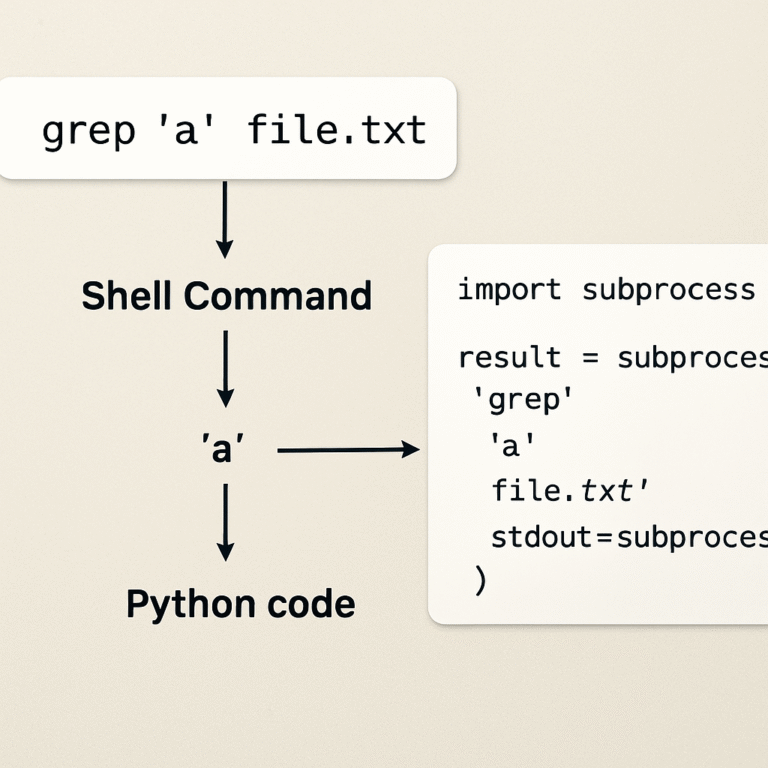
If you’re comfortable with a bit of Bash or PowerShell, you can pipe the script through grep or Select‑String to flag lines that contain unmatched quotes.
# Bash example
grep -nE ".*'.*'" generated.sql | grep -v "''"
The command prints line numbers where a single quote appears an odd number of times, giving you a quick map of problem rows.
Final sanity check before loading
Once the validator is clean and your custom grep script reports zero mismatches, run the script inside a transaction on a staging database.
BEGIN;
-- paste generated INSERTs here
COMMIT;
If the SELECT COUNT(*) after the commit matches the row count in your original CSV, you’ve earned a green light. If not, roll back, adjust the offending rows, and repeat the generate‑review cycle.
Remember, the goal isn’t just to get a script that “works” – it’s to get a script that you trust.

And that’s it: generate, scan, validate, tweak, and finally load. With this routine in place, you’ll never waste another afternoon chasing a stray comma.
Step 5: Export and Use the SQL Script
Alright, you’ve finally hit “Generate” and a massive block of INSERT statements is staring back at you. The next question is simple: how do you get that text from the browser into your database without losing a single quote or introducing a stray line break?
Export the script from the generator
Most online tools give you two options: copy‑and‑paste the whole thing, or click an “Export” button that writes a .sql file to your downloads folder. I always pick the latter because it guarantees the exact same line endings you saw in the preview.
When the dialog pops up, give the file a clear name – something like products_batch_2025_12_03.sql. A descriptive name saves you from opening the wrong file later, especially if you run several loads in one day.
Save with the right encoding
CSV files love UTF‑8, and the generator usually respects that. Double‑check the export settings: the file should be saved as UTF‑8 without a BOM. If you accidentally end up with Windows‑1252, characters like “é” or “£” will turn into garbled symbols once the script hits MySQL or PostgreSQL.
A quick way to verify is to open the file in a lightweight editor (VS Code, Sublime Text) and look at the bottom‑right status bar – it will shout the encoding.
Load into a staging database first
Never, ever run a brand‑new script straight against production. Spin up a sandbox – even a local Docker container works – and paste the script into a transaction block. For PostgreSQL it looks like this:
BEGIN;
\i /path/to/products_batch_2025_12_03.sql
COMMIT;
For MySQL you’d do:
START TRANSACTION;
SOURCE /path/to/products_batch_2025_12_03.sql;
COMMIT;
Wrapping everything in a transaction means you can roll back with a single command if anything looks off.
Real‑world example: product catalog import
Imagine a retail startup that just exported 9,400 SKUs from their ERP system. After exporting the INSERT script, they ran it on a staging PostgreSQL instance. The SELECT COUNT(*) on the products table returned 9,398 – two rows were missing because the CSV had blank price_cents values that the generator treated as empty strings instead of NULL. The team simply toggled the “NULL for empty cells” option, regenerated, and the count matched perfectly.
Real‑world example: audit‑log migration
A fintech team needed to ingest 12,000 activity‑log rows into a PostgreSQL activity_log table. Their generator gave them a script that wrapped timestamps in single quotes. When they ran it, PostgreSQL threw “invalid input syntax for type timestamp with time zone.” The fix? Add a TO_TIMESTAMP wrapper in the generator’s custom date‑format field, regenerate, and the load completed in under two minutes.
Validate row counts and data integrity
After the COMMIT, run a quick SELECT COUNT(*) on the target table and compare it to the number of rows in the original CSV. If the numbers diverge, you’ve got either duplicate keys, filtered rows, or a NULL‑handling mismatch.
Beyond counts, scan a handful of random rows to ensure text fields preserved commas and quotes. A good sanity check is to run a SELECT * FROM … WHERE description LIKE '%"%' – if you see stray backslashes, the generator didn’t escape properly.
Automate the run with CLI tools
If you find yourself repeating this process, drop the manual steps into a shell script. For PostgreSQL:
#!/bin/bash
psql -U your_user -d staging_db -f /tmp/products_batch_2025_12_03.sql && \
  psql -U your_user -d staging_db -c "SELECT COUNT(*) FROM products;"
For MySQL:
#!/bin/bash
mysql -u your_user -p your_db < /tmp/products_batch_2025_12_03.sql && \
  mysql -u your_user -p -e "SELECT COUNT(*) FROM products;" your_db
Pipe the count result into grep and compare it to the CSV line count – if they match, you can safely promote the script to production with a single ssh call.
Expert tip from the community
Developers on Stack Overflow often resort to quick Excel concat formulas or a one‑liner awk script when a UI generator isn’t available. Those “quick‑and‑dirty” tricks work for tiny files, but they lack the safety nets (proper quoting, batch sizing, NULL handling) that a dedicated csv to sql insert statements generator online gives you out of the box.
So, once your script passes the staging sanity checks, copy it to your production server, run it inside a transaction, and celebrate the fact that you didn’t have to open a text editor and hand‑type a single line.
That’s the final piece of the puzzle: export, verify, load, and repeat. When you’ve nailed this routine, future data imports become a handful of clicks instead of a full‑day debugging marathon.
Best Practices & Common Pitfalls
Alright, you’ve got a csv to sql insert statements generator online churning out a wall of INSERTs. It feels good, but the real test is what happens when you run that script against a real database.
Start with a sandbox, not production
Never, ever drop a fresh‑generated script straight onto a live table. Spin up a staging DB – even a Docker container will do – and wrap the whole thing in a transaction. If something blows up, you can ROLLBACK in a heartbeat.
Why? Because a single stray quote can abort a multi‑row batch, leaving you with half‑inserted data and a painful debugging session.
Batch size matters
Most generators let you choose how many rows per INSERT. For MySQL, 200‑500 rows keeps the packet under 1 MB; PostgreSQL can handle 1 000 or more. Bigger batches mean fewer round‑trips, but they also increase the amount of work the DB has to roll back if you need to.
My rule of thumb: start small, watch the execution time, then bump it up until you hit the sweet spot where the load finishes in seconds without choking the server.
Quote strings and NULL handling
Turn on “Quote strings” for any column that holds text, dates, or JSON – otherwise a comma inside a description will break the syntax. For empty cells, decide whether you want NULL or an empty string. If the target column is NOT NULL, let the generator insert NULL so the transaction fails fast and tells you which rows need fixing.
It’s easy to forget that a NULL‑only column can still cause a silent data loss if you silently replace blanks with ''. Double‑check the preview before you click Generate.
Avoid the “all‑or‑nothing” trap
Sometimes you’ll have a few bad rows mixed in with thousands of good ones. Rather than aborting the whole load, consider loading into a temporary table first, then running an INSERT … SELECT with a WHERE clause that filters out rows that violate constraints. This pattern keeps the bulk of your data alive while you clean the outliers.
It also gives you a handy place to run extra validation logic – think duplicate detection or custom data transforms – without touching the production table.
Leverage native bulk loaders when possible
If your CSV is massive (think millions of rows), the generator is great for quick sanity checks, but the database’s own bulk loader (PostgreSQL’s COPY command, MySQL’s LOAD DATA) will usually out‑perform multi‑row INSERTs. As a Stack Overflow discussion on bulk inserts for PostgreSQL notes, COPY is the fastest way to get raw CSV data in, especially when you temporarily drop indexes and foreign keys.
When you can’t use COPY – maybe because you need on‑the‑fly transformations – the multi‑row VALUES syntax the generator provides is a solid fallback.
Common pitfalls to watch out for
- Missing or mismatched column order – double‑check the header mapping.
- Improper escaping of quotes inside text fields – always enable the quoting option.
- Batch size too large – can cause “out of memory” errors or hit the maximum number of prepared‑statement tokens.
- Auto‑commit mode left on – each INSERT becomes its own transaction, killing performance.
Spotting these early saves you from a night of chasing cryptic error logs.
And remember, the generator is just one piece of the puzzle. Treat it as a partner that prepares clean, syntactically correct SQL; the rest of the pipeline – validation, staging, and monitoring – is where the real safety net lives.

Bottom line: run a quick sanity‑check, batch wisely, wrap everything in a transaction, and fall back to native bulk loaders when the data volume demands it. Follow these habits and you’ll turn a potentially chaotic import into a repeatable, low‑risk workflow.
Conclusion
If you’ve made it this far, you probably feel relief and curiosity—like you just unlocked a shortcut to a tedious task.
All the steps—upload, map, tweak options, validate, and load—turn a chaotic CSV into tidy INSERTs you can trust.
So, what’s the biggest win? You spend less time fixing syntax and more time using the data.
Remember the moment a stray quote threatened to ruin a 5,000‑row load? With the right generator, that panic disappears.
Because you wrapped everything in a transaction, a quick single “ROLLBACK” can clean up a mistake before it ever touches production.
From product catalogs to audit logs, the pattern stays: quick sanity check, batch size that fits your DB, and a final row count match.
Now that you have a repeatable workflow, future imports become a handful of clicks instead of a full‑day debugging marathon.
Want to keep the momentum? Next, automate the pipeline with CI scripts or hook the generator into your CI/CD.
If you ever hit a snag, a short revisit to the validation step usually surfaces the culprit before it escalates.
Bottom line: a solid “csv to sql insert statements generator online” paired with disciplined checks gives you confidence, speed, and fewer late‑night fire‑drills.
Ready to try it? Grab your next CSV, fire up the generator, and watch the tedious become effortless.
FAQ
What exactly is a csv to sql insert statements generator online and why would I bother?
In plain terms, it’s a web‑based tool that reads a CSV file and spits out a series of INSERT statements you can run against your database. The biggest win is you skip the manual string‑building, quoting, and type‑casting that usually eats hours of dev time. Instead you get a ready‑to‑run script, a predictable batch size, and a safety net that lets you focus on what the data means rather than how to get it in.
How do I pick a generator that matches my database dialect?
First, check whether the tool lets you select MySQL, PostgreSQL, or SQL Server as the target. Each engine has its own quirks – MySQL likes back‑ticks around identifiers, PostgreSQL prefers double quotes, and SQL Server uses square brackets. A good generator will automatically apply the correct quoting style, handle NULL literals the right way, and even let you add dialect‑specific clauses like ON DUPLICATE KEY UPDATE for MySQL.
Can the generator automatically escape commas, quotes, and newlines inside my CSV fields?
Absolutely. Look for a “Quote strings” or “Escape delimiters” option. When you turn it on, the tool wraps every text field in single quotes and escapes any internal single‑quote or comma so the resulting INSERT never breaks. That’s why you never have to open a giant script and hunt for a stray quote – the generator does the heavy lifting for you.
What’s the safest way to validate the generated INSERT script before I hit production?
Copy the script into a lightweight online SQL validator or run it against a staging database inside a transaction block (BEGIN … COMMIT). If the validator flags mismatched quotes or missing commas, fix the mapping and regenerate. On the staging side, run SELECT COUNT(*) after the commit and compare it to the original CSV row count. A quick rollback is possible if anything looks off.
How should I choose a batch size for optimal load performance?
Batch size is the number of rows packed into a single INSERT statement. For MySQL, keep each batch under 1 MB – that usually means 200‑500 rows. PostgreSQL can chew through 1 000 rows without choking, and SQL Server sits comfortably around 500‑800 rows. Start small, time the load, then bump the size until you see diminishing returns. The sweet spot balances network round‑trips with memory usage.
My CSV has millions of rows – can I still use a generator without blowing up memory?
Yes, but treat the generator as a sanity‑check step rather than the final loader. Generate a small sample (say 100 rows) to confirm quoting, NULL handling, and dialect options. Once you’re confident, switch to the database’s native bulk loader – COPY for PostgreSQL or LOAD DATA INFILE for MySQL – which streams the raw CSV directly and sidesteps the huge INSERT script altogether.
Is it safe to run the generated script directly on a live database?
Never run a fresh script straight against production. Spin up a sandbox or a Docker container that mirrors your prod schema, wrap the whole thing in a transaction, and verify row counts and data integrity. If everything matches, you can replay the same script on production, still inside a transaction, so a single ROLLBACK wipes out any surprise. This two‑step approach gives you confidence without risking a midnight outage.