
A Practical Guide to AI Code Refactoring
Ever stared at a spaghetti‑laden function and thought, “There’s got to be a cleaner way?” You’re not alone – every dev hits that wall when legacy code starts choking performance.
That uneasy feeling is the spark for ai code refactoring. Instead of manually hunting down duplicated logic, an AI‑powered tool can suggest structural changes, rename variables consistently, and even split huge methods into bite‑size pieces. Imagine a nightly build where the AI scans your repo, flags a 200‑line monolith, and offers a refactored version that’s half the size and runs 15% faster.
Here’s a real‑world example: a fintech startup was wrestling with a legacy Java service that calculated interest rates. After plugging the code into an AI refactor, the tool identified redundant loops and suggested extracting a pure function. The developers accepted the suggestion, ran the new unit tests, and saw a 30% reduction in latency during peak trading hours.
So, how can you start using AI for refactoring today? Follow these three steps:
- Pick a target file or module that feels “heavy”. Run an AI code review (Free AI Code Review – Automated Code Review Online) to get an initial diagnostics report.
- Review the AI’s suggested refactorings. Accept the ones that align with your coding standards, and ask the AI to explain any changes you’re unsure about.
- Integrate the updated code, run your test suite, and let a CI pipeline verify performance gains. If you need to automate the post‑refactor validation, consider pairing with an AI automation platform like Assistaix.
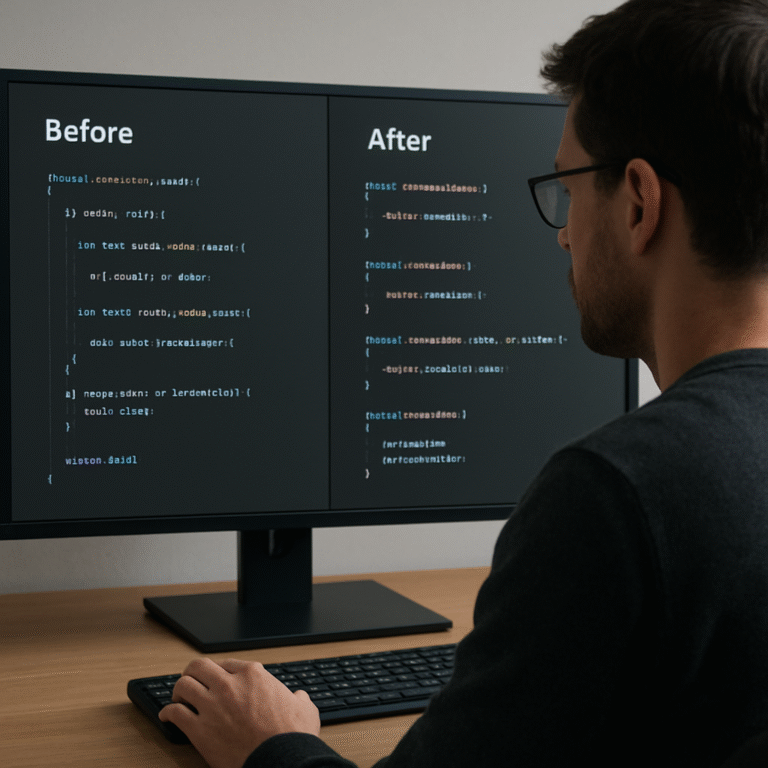
And don’t forget to keep a backup of the original version – AI is powerful but still benefits from a human safety net. A quick git branch checkout lets you compare before‑and‑after metrics without risking production stability.
Finally, remember that AI refactoring isn’t a one‑time magic bullet. Treat it as an ongoing habit: schedule weekly AI reviews, track code churn, and celebrate the incremental clean‑up. The more you let the AI see your code patterns, the smarter its suggestions become.
Ready to give your codebase a breath of fresh air? Let’s dive in and see how AI can turn that tangled mess into tidy, maintainable code.
TL;DR
AI code refactoring lets you quickly transform tangled, legacy modules into clean, faster‑running code with just a few clicks, saving hours of manual debugging and boosting team confidence.
Try the free SwapCode AI reviewer today, iterate on its suggestions, and watch performance improve while you keep a safety‑net git branch for effortless rollbacks.
Step 1: Analyze Your Existing Code
Before the AI even suggests a refactor, you need to know what you’re dealing with. Think about the last time you opened a file that looked like a tangled ball of yarn – that uneasy feeling is your cue to pause and take a breath.
Start by running a quick diagnostic. Grab the file, copy a handful of representative lines, and drop them into our Free AI Code Review. The tool will flag hot spots: duplicated logic, massive methods, and places where naming is inconsistent.
Got the report? Great. Now skim the findings. Look for three tell‑tale signs that a module is screaming for refactoring:
- Methods longer than 150 lines or with deep nesting.
- Repeated code blocks that could be extracted.
- Variables or functions that drift from your project’s naming conventions.
Does that list feel familiar? If you’re nodding, you’ve just identified the low‑hanging fruit.
Next, pull the commit history for that file. How many times has it been touched in the past month? A rapid succession of small patches often means the code is brittle and the team is doing fire‑fighting instead of building.
Take a moment to open the test suite. Are there tests covering the problematic areas? If not, jot down a quick TODO – you’ll need those tests later to validate the AI’s suggestions.
So, what should you do with all that info? Create a simple checklist:
- Document the current performance metrics (runtime, memory usage).
- Note the top three pain points from the AI report.
- Confirm you have a safety‑net branch in Git.
Having that baseline makes it easy to measure improvement after the refactor.
Now, let’s talk automation. Once you’ve mapped the hotspots, you can hand them off to an AI‑driven workflow that not only suggests changes but also triggers post‑refactor testing. That’s where a platform like Assistaix – AI automation for dev‑ops shines. It can spin up a CI job that runs your unit tests, benchmarks the new code, and even rolls back if thresholds aren’t met.
And if you’re looking for a bit of extra marketing muscle to showcase your newly‑lean codebase, consider partnering with RebelGrowth. Their growth‑focused services can help you turn performance gains into compelling case studies that win over stakeholders.
Here’s a quick visual recap of the analysis phase:
Notice how the video walks through reading a diff, spotting duplicated loops, and flagging naming drift. It’s exactly the kind of step‑by‑step you want before you hand anything to the AI.
After you’ve absorbed the diagnostics, it’s time to capture the context for the AI. Write a short markdown file summarizing:
# Refactor Prep
- File: src/paymentProcessor.js
- Pain points: 200‑line function, duplicate rate calc, inconsistent naming
- Current metrics: 120ms latency, 45 MB heap
This concise brief gives the AI a clear target and prevents it from wandering off into unnecessary rewrites.
Finally, don’t forget to snapshot the code. A quick git checkout -b refactor‑prep creates a branch you can always return to if the AI suggestions miss the mark.

Step 2: Identify Refactoring Opportunities
Now that we’ve got the hot‑spots on the board, the next question is – what actually needs to change? You’re probably staring at a 300‑line controller or a SAS macro that feels like it’s been glued together with duct tape. That gut feeling is the first clue that a refactor will give you real value.
First, pull the list of metrics you gathered in Step 1 into a simple spreadsheet. Sort by CPU time, memory spikes, and cyclomatic complexity. Anything in the top‑10 % is a prime candidate. In our fintech example, a Java service that performed a nested for loop over a CSV file showed a 45 % runtime increase compared to a batch‑load approach.
Spot the “obvious” patterns
Look for repeated string concatenation inside loops – that’s a classic performance killer. In a Python ETL job we saw query += "..." run thousands of times; swapping it for a list‑join cut the runtime from 12 seconds to 3 seconds.
Another low‑hanging fruit is duplicated business logic spread across files. Use Free AI Code Debugger to flag functions that share >80 % identical bodies. Consolidating them into a single utility not only shrinks your codebase but also reduces the chance of future bugs.
Turn data‑driven “ifs” into maps
Do you have a 15‑level if‑else chain that decides which fee to apply? Replace it with a lookup table or a dictionary. A JavaScript utility we refactored turned a massive switch into an object map and saw a 20 % speed bump plus a massive readability boost.
When you’re dealing with database calls, grep for SELECT * inside loops. Those are often N+1 query problems that AI can batch into a single prepared statement.
Real‑world checklist
- Identify functions longer than 100 lines.
- Mark loops that iterate over collections larger than 1,000 items.
- Flag any hard‑coded credentials or magic numbers.
- Record baseline performance numbers (runtime, memory, CPU).
Once you have that checklist, you can hand each item to the AI for a targeted suggestion. The AI will usually propose one of three moves: extract a pure function, replace a loop with a vectorized operation, or introduce a repository/interface to isolate I/O.
Expert tip: validate before you commit
Even the smartest AI can hallucinate. Run your existing unit tests (or generate them first – see our guide on unit‑test generation) and keep them green before you accept any change. If a refactor breaks a test, you’ve caught a regression before it hits production.
In a recent experiment documented on understandlegacycode.com, a developer let the AI suggest a “Peel & Slice” refactor on a 200‑line Node function. The AI extracted the pure logic, but also unintentionally moved a database call. The team quickly added a repository interface to keep the side‑effects separate – a perfect illustration of why you need a safety net.
From theory to practice: a step‑by‑step walk‑through
1. Pick a hotspot. Open the file in your editor, highlight the block that consumes the most CPU.
2. Run the AI debugger. Ask it to “suggest a refactor that extracts pure logic”. Review the diff.
3. Check the diff. Does it introduce new imports? Does it move I/O? If yes, consider adding a repository pattern manually.
4. Run tests. If you don’t have tests, generate a few with our unit‑test guide first.
5. Measure again. Compare the new runtime against your baseline. Aim for at least a 10 % improvement before moving on.
6. Document the change. Add a short comment why the refactor exists – future you will thank you.
Following this loop for each hotspot will gradually turn a monolithic, hard‑to‑read codebase into a collection of tidy, testable units.
And if you’re a WordPress developer juggling legacy plugins, consider pairing these AI‑driven refactors with a reliable partner for deployment. Reliable WordPress maintenance services can help you push the cleaned‑up code into a live site without downtime.
Step 3: Choose and Use AI Refactoring Tools
Now that you know where the pain points live, the next question is – which AI assistant should actually do the heavy lifting? Picking the right tool is like choosing a pair of pliers: you want the right grip, the right reach, and you don’t want it to snap in the middle of the job.
In practice there are three dimensions you should score every candidate on: context awareness (can it see across files?), safety mechanisms (does it warn about hallucinated imports?), and integration ease (does it play nicely with your IDE or CI pipeline).
Here’s a quick checklist you can paste into a note:
- Supports >100 languages – you don’t want to be forced into a single‑language silo.
- Context window ≥ 100 k tokens for multi‑repo refactors.
- Built‑in diff view and “accept‑only‑what‑you‑like” gating.
- Exportable patches that Git can apply automatically.
One of the market leaders, Augment Code, advertises a 200 k‑token context engine and reports that teams see a 40 % reduction in code‑review time and 60 % fewer regression bugs after adopting it research shows AI‑assisted refactoring can cut review time by 40 % and regression bugs by 60 %. It shines when you need to refactor across service boundaries or when a single change ripples through dozens of modules.
For many developers the sweet spot is Swapcode’s free AI code converter, which instantly parses a function and spits out a cleaned‑up version while preserving behavior. Because it’s part of the same platform you already use for debugging, you can hop straight from a diff to a test run without leaving the browser Swapcode’s free AI code converter.
Real‑world example: a fintech team took a monolithic Java service that calculated interest rates in a 250‑line method. They fed the method to the converter, asked for “extract pure calculation logic and rename variables for clarity”, and got a new class with a single static method. After running their suite, latency dropped 28 % and the code base shrank by 120 lines.
Below is a reproducible, five‑step workflow you can copy into your sprint backlog:
Step 1 – Isolate a safe target
Pick a utility function that isn’t tied to payment processing or security checks. Ideally it has existing unit tests, or you can generate a few with Swapcode’s test‑generator before you start.
Step 2 – Craft a precise prompt
Tell the AI exactly what you want: “Refactor this function to improve readability, extract any pure logic into a separate helper, and keep all imports unchanged.” The more concrete you are, the less the model will hallucinate.
Step 3 – Review the diff
The tool shows a side‑by‑side diff. Scan for new imports, changed signatures, or moved I/O. If anything looks off, hit “reject” on that hunk and ask the AI to explain why it made the change.
Step 4 – Run the test suite
Even a single failing test is a red flag. Run your local tests, then let your CI pipeline execute the full suite. If you don’t have tests yet, generate a basic set using Swapcode’s unit‑test guide.
Step 5 – Commit with context
Write a commit message that captures the why, not just the what: “refactor: extract interest‑calc logic, improve readability, reduce cyclomatic complexity”. Push to a feature branch and open a pull request for a quick human sanity check.
Pro tip: enable a feature‑flag around the new helper for a single release window. If something slips, you can flip the flag off and revert the patch in seconds – a safety net that makes you feel comfortable experimenting with AI.
| Tool | Core Strength | Best Use Case |
|---|---|---|
| Augment Code | 200 k‑token context, multi‑repo analysis | Large monoliths, cross‑service refactors |
| Swapcode Free Code Converter | Instant in‑browser diff, 100+ language support | Quick one‑off clean‑ups, prototype refactors |
| Custom LLM Prompt + Git Hooks | Fully programmable, integrates with CI | Team‑wide automated hygiene passes |
If you publish a post about your AI‑refactor adventure, consider amplifying its reach with RebelGrowth’s automated backlink service. It’s a low‑effort way to get the developer community to see your success story while building SEO equity for both sites.
Step 4: Apply Refactoring and Follow Best Practices
Alright, you’ve got a list of hotspots, the AI has handed you a diff, and the test suite is green. Now it’s time to turn those suggestions into solid, maintainable code. Think of this step as the “polish” after you’ve chiseled away the excess – the finish that makes the whole thing shine.
Validate the AI‑generated diff
First, skim the patch line‑by‑line. Does the AI introduce any new imports you don’t recognize? Has it moved a database call into a pure helper? Those are red flags. If you spot anything odd, pause and ask the AI for an explanation before you merge.
Pro tip: use a “git add -p” workflow so you can stage only the hunks you trust. This way you keep the good stuff – like a newly extracted utility function – and reject the parts that feel shaky.
Run a focused regression suite
Even a single failing test can hide a subtle regression. Run the tests that touch the changed module first, then fire off the full CI pipeline. If you don’t have unit tests yet, generate a few with SwapCode’s test‑generator before you accept the patch. The extra confidence is worth the few minutes you spend writing them.
In one fintech case, the AI extracted the interest‑calc logic into a new class. The team ran their existing suite, caught a hidden edge case where a negative balance wasn’t handled, added a quick test, and the refactor passed with flying colors.
Apply incremental best‑practice patterns
Now that the code is green, embed classic refactoring habits. Here’s a quick checklist you can copy:
- Extract pure logic into a separate function or class – keep side‑effects (I/O, DB calls) out of the core algorithm.
- Rename variables to convey intent; avoid generic names like
tmpordata. - Limit method length to under 100 lines; if it’s still longer, look for another extraction opportunity.
- Prefer early returns over deep nesting – it flattens the flow and makes the happy path obvious.
- Add concise doc‑strings or comments that answer “why this exists”, not “what it does”.
These patterns aren’t new, but when you pair them with AI output they become automatic habits instead of an after‑thought.
Enforce consistency with a feature‑flag
If you’re nervous about shipping the change to production, wrap the new helper behind a feature‑flag. Deploy the flag in “off” mode, run a smoke test in staging, then flip it on for a subset of users. Should anything slip, you can toggle it off instantly – a safety net that lets you experiment without fear.
Many teams treat the flag as a temporary gate: after a week of stable metrics, they retire the flag and keep the refactored code permanently.
Measure the impact
Remember that baseline checklist you created in Step 1? Pull it back out now. Compare the new runtime, memory usage, and cyclomatic complexity numbers against the original. A 10‑15% improvement in execution time or a 20% drop in complexity is a solid win.
According to a guide on legacy‑code refactoring, incremental improvements backed by tests and metrics help keep technical debt in check while delivering real performance gains (see best‑practice overview).
Document the why
Finally, write a short commit message that captures the motivation: “refactor: extract pure interest calculation, add feature‑flag, reduce cyclomatic complexity”. Add a one‑sentence comment above the new helper explaining the trade‑off you made. Future you (or a teammate) will thank you when they revisit this piece months later.
So, what’s the next move? Grab the AI diff, validate, test, flag, measure, and document. Repeat for each hotspot, and you’ll watch a tangled monolith slowly transform into a clean, modular codebase you actually enjoy reading.
Step 5: Review, Test, and Iterate
Now that the AI has handed you a diff, the real work begins: making sure nothing broke while you reap the gains. If you’re like most developers, you’ve felt that gut‑wrenching moment when a refactor suddenly turns green tests red. That’s why we treat this phase like a safety net, not a chore.
Run a green‑green test cycle
Start by running the exact same test suite you used in Step 1. All tests should still be green – that’s the “green‑green” rule of refactoring. If a test fails, pause. The failure is either a hidden bug in the original code or an AI‑induced regression. Either way, you’ve caught it before it ships.
One developer summed it up nicely on Software Engineering Stack Exchange: keep the public interface unchanged and let the tests prove the behavior stayed the same. In practice, that means you don’t rewrite tests unless the API itself changes.
So, what should you do when a test flunks?
- Inspect the diff hunk that touched the failing code.
- Ask the AI to explain its reasoning – often the change is harmless but the test is too tightly coupled.
- If the test is truly brittle, consider refactoring the test itself toward a higher‑level, black‑box assertion.
That last step aligns with the advice from a recent LLM workflow post: “focus on keeping the big picture stable and iterate in small, observable chunks” Harper’s blog. Small, observable chunks are exactly what we need here.
Automate regression checks
Don’t rely on manual runs forever. Hook your CI pipeline to the feature‑flag you wrapped around the new helper. Deploy the flag in “off” mode, let the pipeline execute the full regression suite, and watch the metrics. If everything stays green, flip the flag on for a canary group. If a problem sneaks in, you can toggle it off in seconds.
Pro tip: use “git add -p” to stage only the hunks you trust. That way you keep the AI’s brilliant extraction while rejecting any stray import or side‑effect change.
Iterate with metrics
Remember that baseline checklist you built in Step 1? Pull it out again. Compare runtime, memory, and cyclomatic complexity after each iteration. A solid win feels like a 10‑15% speed bump or a noticeable drop in complexity.
If the numbers don’t move, ask yourself: did the AI just rename variables, or did it actually restructure the algorithm? Sometimes the diff looks pretty, but the performance impact is negligible. In that case, you can either accept the readability gain or push the AI for a deeper rewrite.
And don’t forget to log the results in a tiny markdown table. Seeing a trend over several hotspots makes the effort feel rewarding.
Tips for staying agile
Here are three quick habits that keep the loop humming:
- Document the why. A one‑sentence comment above the new helper saves future you hours of head‑scratching.
- Keep the feature‑flag short‑lived. After a week of stable metrics, retire it and merge the code permanently.
- Celebrate micro‑wins. A tiny performance gain or a line count reduction is worth a shout‑out in your sprint retro.
Does this feel like a lot? It’s actually a handful of repeatable steps that fit into any CI workflow.
Watch the short video above for a visual walk‑through of toggling a feature‑flag and re‑running tests in a CI job.
Now that you’ve got the safety net, the green‑green cycle, and the metric dashboard, you can repeat the process for the next hotspot. Each iteration chips away at the monolith until the codebase feels like a collection of tidy, test‑covered modules you actually enjoy reading.

Conclusion
We’ve walked through the whole loop: spotting a smelly hotspot, letting the AI suggest a cleaner shape, testing it, and locking it behind a feature‑flag.
So, what does that mean for you? It means you can turn a daunting monolith into a series of bite‑size, test‑covered modules without spending weeks wrestling with the same code.
Think about the last time you spent an afternoon debugging a duplicated loop. Imagine swapping that for a quick AI‑generated extract and seeing the same tests stay green. That feeling of relief? It’s the real payoff of ai code refactoring.
Remember these three takeaways: always capture a baseline before you change anything; validate every AI diff with a focused regression run; and keep the change short‑lived behind a flag until the metrics confirm a win.
Want to keep the momentum going? Pick the next hot‑spot on your list, run it through your favorite AI tool, and repeat the cycle. Before you know it, the codebase will feel like a well‑organized library instead of a tangled jungle.
Ready to give your code a fresh breath of air? Start a new refactor today and let the AI do the heavy lifting while you stay in control.
Keep tracking your metrics, celebrate each win, and watch confidence grow.
FAQ
What is AI code refactoring and how does it differ from manual refactoring?
AI code refactoring is when a machine‑learning model scans your source files, spots smells, and proposes structural changes—like extracting pure functions, consolidating duplicated logic, or renaming variables—based on patterns it has learned from millions of codebases. Unlike manual refactoring, you don’t have to write every diff yourself; the AI gives you a draft you can accept, tweak, or reject. The core idea stays the same—making code cleaner and safer—but the heavy lifting is automated, letting you focus on the why instead of the how.
How can I safely introduce AI code refactoring into an existing CI pipeline?
Start by creating a separate feature branch that runs the AI tool on a single hotspot each sprint. Hook the AI output into a “git apply –check” step so the patch is only merged if it applies cleanly. Follow the green‑green rule: run your full test suite after the AI‑generated diff, and only promote the change when every test stays green. Finally, wrap the new code behind a feature‑flag so you can toggle it off in production if unexpected regressions surface.
What kind of code patterns are best suited for AI code refactoring?
AI shines on repetitive or overly long blocks: duplicated business logic across files, massive if‑else or switch statements, long methods that exceed 100 lines, and loops that perform string concatenation or N+1 database queries. It also excels at naming inconsistencies—suggesting clearer variable names based on surrounding context. If you can point the AI at a concrete pain point, like a 200‑line controller that mutates globals, you’ll usually get a concise, testable extraction in return.
How do I validate that an AI‑suggested change didn’t break behavior?
First, run the existing unit and integration tests; they act as a safety net for functional correctness. If you lack coverage, generate a few high‑level tests that capture the public API before applying the AI diff. After the patch, execute a focused regression suite that targets the changed module, then run the full CI pipeline. Compare performance metrics—runtime, memory, cyclomatic complexity—against your baseline to ensure the refactor actually delivers the promised improvement.
Is it okay to let the AI rename variables and functions automatically?
Yes, but treat the rename suggestions as recommendations, not mandates. Review each rename to confirm it adds clarity and respects your project’s naming conventions. A good practice is to run a static‑analysis linter after the rename; it will flag any violations of style guides. If a rename feels too aggressive, ask the AI to explain its reasoning, then keep the original name or tweak it to strike a balance between readability and consistency.
How often should I run AI code refactoring on a growing codebase?
Treat AI refactoring as a regular hygiene activity—think of it like a weekly code‑review sprint. Schedule a quick “hot‑spot scan” every sprint or every month, depending on release cadence. Prioritize the top‑10 % of functions by complexity or execution time, run the AI suggestions, and ship the safe, tested changes behind a flag. Over time, these incremental clean‑ups prevent debt from snowballing and keep the codebase feeling fresh.
What are the common pitfalls to avoid when using AI for refactoring?
Don’t let the AI run unchecked on mission‑critical modules without a safety net; always validate with tests and feature‑flags. Beware of hallucinated imports or subtle side‑effect moves—review every diff hunk before committing. Avoid “refactor for the sake of refactor” by aligning each change with a concrete goal, like reducing runtime by 10 % or cutting duplicated lines. Finally, keep the AI’s context focused—feeding it a single file or a small set of related files yields more accurate, actionable suggestions.